
Performance Overview
Scores based on quantifiable specification values (1-10 scale)
Detailed Specifications
| Specification | NVIDIA DGX B300 NVIDIA DGX | NVIDIA DGX B200 NVIDIA DGX |
|---|---|---|
| Key Metrics | ||
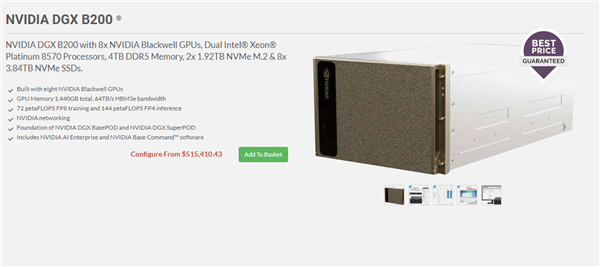
| FP4 Inference Performance | 144 PFLOPS | 144 PFLOPS |
| FP8 Training Performance | 72 PFLOPS | 72 PFLOPS |
| Total GPU Memory | 2.3 TB HBM3e | 1.4 TB HBM3e |
| Network Port Speed | 800 Gb/s per port | 400 Gb/s per port |
| Form Factor | 10 RU rack-mount | 10 RU rack-mount |
| Compute | ||
| Processor | Intel Xeon 6776P, 112 cores, up to 4 GHz boost | 2x Intel Xeon Platinum 8570, 112 cores, 2.1 / 4.0 GHz |
| GPU Configuration | 8x NVIDIA Blackwell Ultra GPUs | 8x NVIDIA Blackwell GPUs |
| GPU Interconnect | 2x NVLink Switch System — 14.4 TB/s aggregate | 2x NVLink Switch System — 14.4 TB/s aggregate |
| Memory | ||
| System Memory | Up to 4 TB DDR5 | 2 TB (configurable to 4 TB) |
| GPU Memory | 2.3 TB total HBM3e | 1.4 TB HBM3e — 64 TB/s bandwidth |
| Storage | ||
| OS Storage | 2x 1.9 TB NVMe M.2 | 2x 1.9 TB NVMe M.2 |
| Internal Storage | 8x 3.84 TB NVMe E1.S | 8x 3.84 TB NVMe U.2 |
| Networking | ||
| Network Interface Cards | 8x ConnectX-8 VPI OSFP (800 Gb/s) + 2x BlueField-3 DPU | 8x ConnectX-7 VPI OSFP (400 Gb/s) + 2x BlueField-3 DPU |
| GPU / Accelerators | ||
| GPU Memory Bandwidth | -- | 64 TB/s |
| I/O & Ports | ||
| Network Ports | 8x OSFP (800 Gb/s) | 8x OSFP (400 Gb/s) |
| Management | ||
| Management Software | NVIDIA Mission Control | NVIDIA Mission Control |
| Power | ||
| Maximum Power Consumption | ~14 kW | ~14.3 kW |
| Physical / Environmental | ||
| Dimensions | 444mm H × 482.2mm W × 897.1mm D | 444mm H × 482.2mm W × 897.1mm D |
| Cooling | -- | Air-cooled chassis |
| Software & OS Compatibility | ||
| Operating System Support | NVIDIA DGX OS, Ubuntu, RHEL, Rocky Linux | NVIDIA DGX OS, Ubuntu, Red Hat Enterprise Linux, Rocky |
| Included Software | NVIDIA AI Enterprise, NVIDIA Mission Control, NVIDIA Run:ai | NVIDIA AI Enterprise, NVIDIA Mission Control, NVIDIA Run:ai |
| Warranty & Support | ||
| Support Period | 3-year business-standard hardware and software support | 3-year enterprise hardware and software support |
Expert Analysis
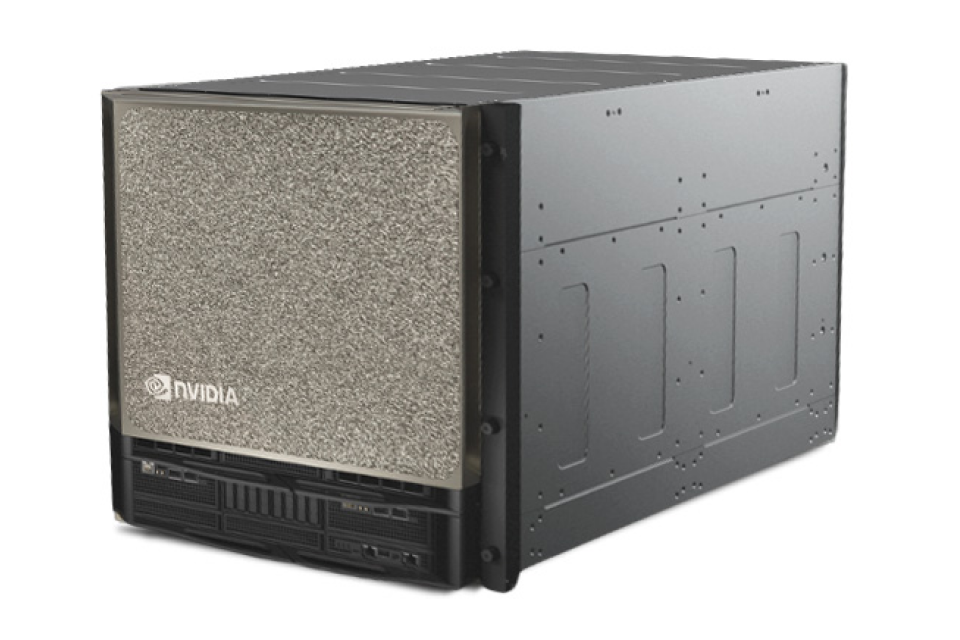
The NVIDIA DGX B300 and B200 represent two tiers within NVIDIA's Blackwell-generation AI supercomputing platform, sharing identical core architecture but differing in GPU memory capacity and networking capabilities. The B300's primary advantage lies in its 2.3 TB of HBM3e GPU memory—64% more than the B200's 1.4 TB—making it particularly suited for massive model training where memory capacity directly determines model size and batch dimensions. This additional memory headroom enables the B300 to handle larger transformer models, more extensive context windows, and complex multi-modal AI workloads without requiring model parallelism or frequent checkpointing.
Network throughput represents the second key differentiator, with the B300 featuring 800 Gb/s ConnectX-8 NICs versus the B200's 400 Gb/s ConnectX-7. This doubling of per-port bandwidth significantly reduces communication bottlenecks in distributed training scenarios, particularly valuable for large-scale multi-node deployments where data parallelism across clusters demands high-speed interconnects. The B200 remains highly capable for single-node or smaller cluster deployments where 400 Gb/s networking provides sufficient bandwidth at a lower cost point.
Both systems deliver identical 144 PFLOPS FP4 inference and 72 PFLOPS FP8 training performance, share the same 14.4 TB/s NVLink fabric, and include identical software stacks with NVIDIA AI Enterprise and Mission Control. The choice between them hinges on workload characteristics: organisations training exceptionally large models or operating at massive scale will benefit from the B300's additional memory and networking headroom, while those with more moderate requirements may find the B200 delivers excellent performance at a more accessible price point. The identical physical footprint and power requirements mean infrastructure planning remains consistent between both options.
Ready to proceed?
Want to compare different products or add more to this comparison?
Open Interactive Comparison Tool →