UK’s trusted IT infrastructure partner since 2003
Servnet
FinanceToolsConfiguratorGet in Touch
← Comparison Tool

🪟 Studio Display vs XDR (2026)

AI-powered analysis across 27 matched specifications

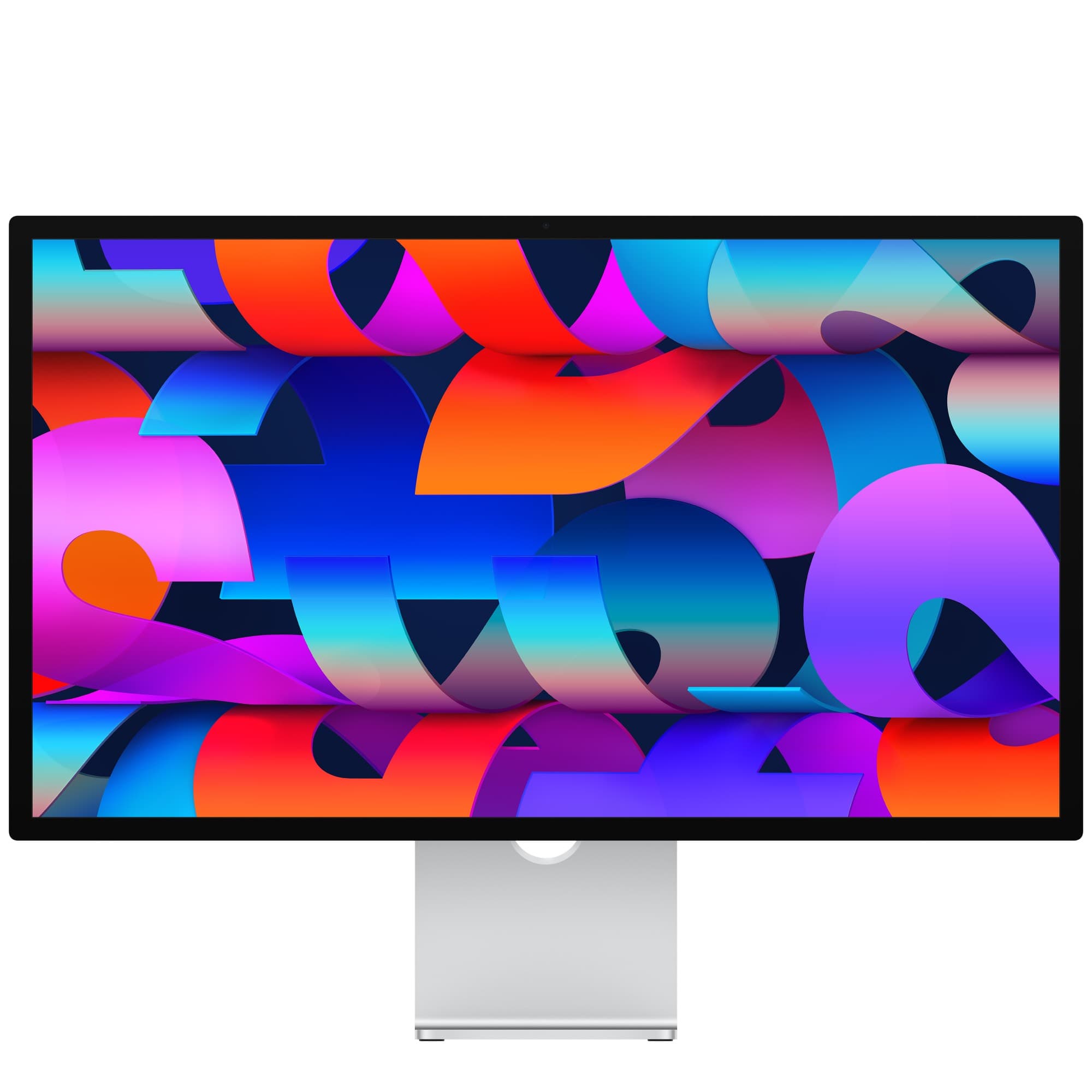
Apple Studio Display (2026) 27-inch 5K Retina display in Silver — front view on tilt-adjustable stand
Studio Display (2026)
Apple
8.2
Overall Score
The default 5K monitor for Mac-based offices — everyday productivity, video calls and creative work where 600 nits SDR is plenty.
View Full Details
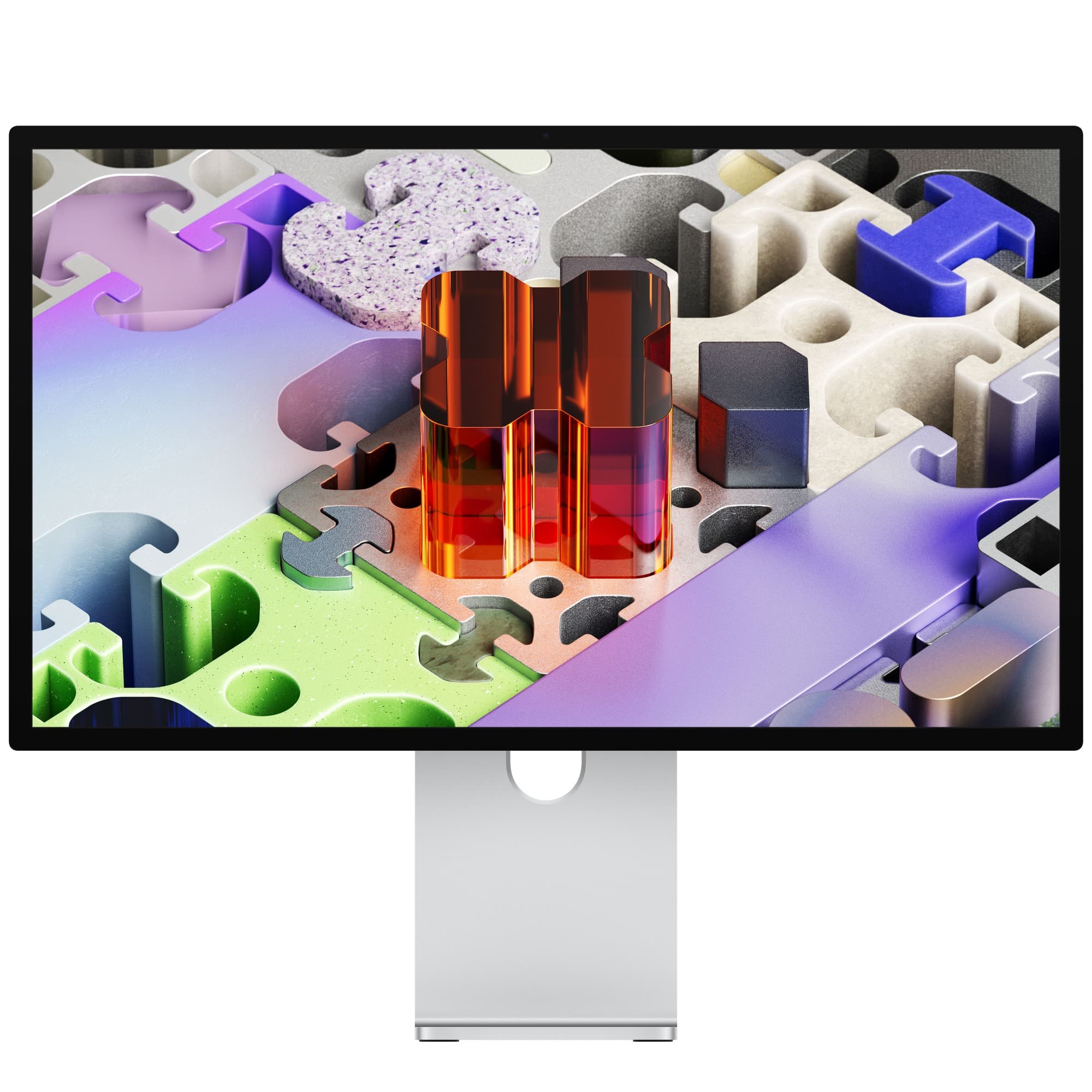
Apple Studio Display XDR 27-inch 5K Retina XDR display in Silver — front view on tilt and height-adjustable stand
Studio Display XDR
Apple
9.1
Overall Score
HDR grading, photography and motion-sensitive pro work on current Apple silicon, where mini-LED contrast, Adobe RGB and 120Hz pay off.
View Full Details

Performance Overview

Scores based on quantifiable specification values (1-10 scale)

Image qualityMotion & refreshColour-critical accuracyConferencing & audioConnectivity & chargingGeneral office fit
Studio Display (2026)
Studio Display XDR
Image quality
Studio Display (2026)
8.0
Studio Display XDR
9.6
Motion & refresh
Studio Display (2026)
6.5
Studio Display XDR
9.3
Colour-critical accuracy
Studio Display (2026)
7.5
Studio Display XDR
9.5
Conferencing & audio
Studio Display (2026)
9.0
Studio Display XDR
9.0
Connectivity & charging
Studio Display (2026)
8.7
Studio Display XDR
9.0
General office fit
Studio Display (2026)
9.2
Studio Display XDR
8.0

Detailed Specifications

Specification
Studio Display (2026)
Apple
Studio Display XDR
Apple
At a Glance
PositioningMainstream 27-inch 5K display for Apple-silicon desksFlagship mini-LED 5K; Apple's replacement for the Pro Display XDR
Headline panel5K at 218 ppi, 600 nits, 60Hz5K Retina XDR, up to 2,000 nits peak HDR, 120Hz
Year introduced20262026
Host charging96W over Thunderbolt 5140W over Thunderbolt 5
Panel & Brightness
Size and resolution27-inch 5K (5120x2880) at 218 ppi27-inch 5K (5120x2880) at 218 ppi
BacklightNot specified by Apple (no dimming-zone figure quoted)Mini-LED with 2,304 local dimming zones
SDR brightness600 nitsUp to 1,000 nits
Peak HDR brightnessNo HDR figure quoted by Apple2,000 nits peak (ambient temperatures below 25°C)
Colour depth1 billion colours1 billion colours
Glass optionsStandard or nano-textureStandard or nano-texture
Motion & Colour
Maximum refresh rate60Hz120Hz with Adaptive Sync
Refresh on M1–M3 Macs60HzUp to 60Hz — 120Hz needs current Apple silicon or iPad Pro M5
Colour gamutWide colour (P3)Wide colour (P3) plus Adobe RGB
Reference modes914
True ToneYesYes
Shared Platform
Camera12MP Center Stage with Desk View (requires a Mac)12MP Center Stage with Desk View (requires a Mac)
SpeakersSix speakers, force-cancelling woofers, Spatial Audio (Dolby Atmos)Six speakers, force-cancelling woofers, Spatial Audio (Dolby Atmos)
MicrophonesThree-mic array with 'Hey Siri'Three-mic array with 'Hey Siri'
Ports2x Thunderbolt 5 (up to 120Gb/s) + 2x USB-C (10Gb/s)2x Thunderbolt 5 (up to 120Gb/s) + 2x USB-C (10Gb/s)
Daisy-chainingOne Thunderbolt 5 upstream to host, one downstreamOne Thunderbolt 5 upstream to host, one downstream
CompatibilityApple-silicon Macs (macOS Tahoe 26.3.1+) and recent iPadsApple-silicon Macs (macOS Tahoe 26.3.1+) and recent iPads
In the boxDisplay + Thunderbolt 5 Pro cable (1m)Display + Thunderbolt 5 Pro cable (1m)
Stands & Physical
Stand choices at purchaseTilt (default), tilt & height-adjustable, or VESA 100x100Tilt & height-adjustable included; VESA version available
Adjustment detail-5° to +25° tilt; 105mm travel on the height-adjustable stand−5° to +25° tilt · 105 mm height travel (included stand)
VESA orientationLandscape or portrait (VESA 100x100)Landscape or portrait (VESA 100×100)
Weight6.3 kg (tilt) / 7.6 kg (tilt & height) / 5.4 kg (VESA)8.5 kg (stand) / 6.3 kg (VESA)
Dimensions (w x h x d, panel)623 x 362 x 31 mm623 x 362 x 33 mm

Expert Analysis

Specs web-verified from manufacturer datasheets · Servnet-reviewed · Last reviewed 11 Jul 2026

Apple has built these two monitors around the same 27-inch 5K format, the same conferencing hardware and the same Thunderbolt 5 plumbing, which makes the decision unusually clean: you are choosing a panel, not a product line. For most UK businesses kitting out Mac desks, the standard Studio Display is the sensible default. Text is razor-sharp at 218 ppi, 600 nits is ample for office lighting, and the built-in camera, speakers and mics remove the need for separate conferencing kit at every seat.

The XDR earns its place in colour-critical and motion-sensitive seats. The mini-LED backlight with 2,304 dimming zones, the jump to 1,000 nits SDR and 2,000 nits peak HDR, Adobe RGB coverage and 14 reference modes make it the tool for grading suites, photography studios and video post-production. The 120Hz Adaptive Sync panel is a genuine step up too — but only on current Apple silicon; teams still running M1, M2 or M3 Macs will see it capped at 60Hz, which blunts a key reason to pay the premium until those hosts are refreshed.

Buy the Studio Display for general knowledge-work and creative desks, and reserve the XDR for the specific seats that grade, retouch or review HDR content. Since Apple positions the XDR as the successor to the Pro Display XDR, it is now the company's pro-tier reference option — deploy it where that capability will actually be exercised, not fleet-wide.

Studio Display (2026)
The default 5K monitor for Mac-based offices — everyday productivity, video calls and creative work where 600 nits SDR is plenty.
Studio Display XDR
HDR grading, photography and motion-sensitive pro work on current Apple silicon, where mini-LED contrast, Adobe RGB and 120Hz pay off.

Frequently asked questions

Do I need the Studio Display XDR for HDR work?

Yes, if HDR is genuinely in your workflow. Apple quotes the standard Studio Display at 600 nits with no HDR brightness figure, so treat it as an SDR monitor. The XDR pairs a mini-LED backlight with 2,304 local dimming zones, reaches up to 1,000 nits in SDR and peaks at 2,000 nits for HDR in ambient temperatures below 25°C. For HDR grading or review, the XDR is the one built for the job.

Will the Studio Display XDR run at 120Hz on my existing Mac?

Only on current hardware. Apple states that M1, M2 and M3 Macs drive the Studio Display XDR at up to 60Hz, while current Apple-silicon Macs and the iPad Pro M5 reach the full 120Hz with Adaptive Sync. Audit your fleet before committing: on an older Mac the XDR's motion advantage disappears until the host machine is upgraded, leaving you with the panel and colour benefits alone.

Is the webcam or audio any better on the XDR?

No — the conferencing rig is identical. Both displays carry the same 12MP Center Stage camera with Desk View (which requires a Mac), the same six-speaker system with force-cancelling woofers and Spatial Audio with Dolby Atmos, and the same studio-quality three-mic array with 'Hey Siri'. If a desk's priority is meetings and calls rather than image quality, the standard Studio Display gives up nothing to the XDR.

Can either display power a MacBook over a single cable?

Yes. Both use one upstream Thunderbolt 5 connection and ship with a 1m Thunderbolt 5 Pro cable, so a single lead carries video, data and power. The standard Studio Display provides 96W of host charging, while the XDR supplies 140W for higher-power laptops. Each also offers two 10Gb/s USB-C ports and a downstream Thunderbolt 5 port for daisy-chaining further devices.

Specs verified from

Ready to proceed?

Not sure which one fits your environment?

Our UK specialists will recommend the right option for your workload and send itemised pricing — vendor-neutral, no obligation.

Response within 4 business hours · 20+ yr UK reseller

Studio Display (2026)
View Full Details →
Studio Display XDR
View Full Details →

Want to compare different products or add more to this comparison?

Open Interactive Comparison Tool →
💷 Spread the cost · IT finance

Made your choice? Spread the cost.

Whichever you choose, you don't have to pay for it all upfront — finance your new hardware from £79/mo ex VAT on hire purchase or lease. Compare monthly payments and terms in seconds.

See finance from £79/mo

Indicative estimate · subject to change · soft search, no credit-file impact · hire purchase, lease & subscription for UK businesses

From
£79/mo
over 36 months · ex VAT · indicative estimate, subject to change

Talk to a UK specialist

Get expert advice or a no-obligation quote — servers, storage, networking, maintenance, finance and cloud. We reply the same working day.

or call 0800 987 4111