💾 Dell PowerScale F710 vs H7000
AI-powered analysis across 27 matched specifications


Performance Overview
Scores based on quantifiable specification values (1-10 scale)
Detailed Specifications
| Specification | Dell PowerScale F710 Dell Storage | Dell PowerScale H7000 Dell Storage |
|---|---|---|
| Key Metrics | ||
| Media type | All-flash NVMe (QLC/TLC SSD) | Hybrid (HDD + SSD cache) |
| Raw capacity per node | 38 TB – 1.2 PB | Up to ~480 TB (4 × 12–24 TB HDD config plus SSD cache) |
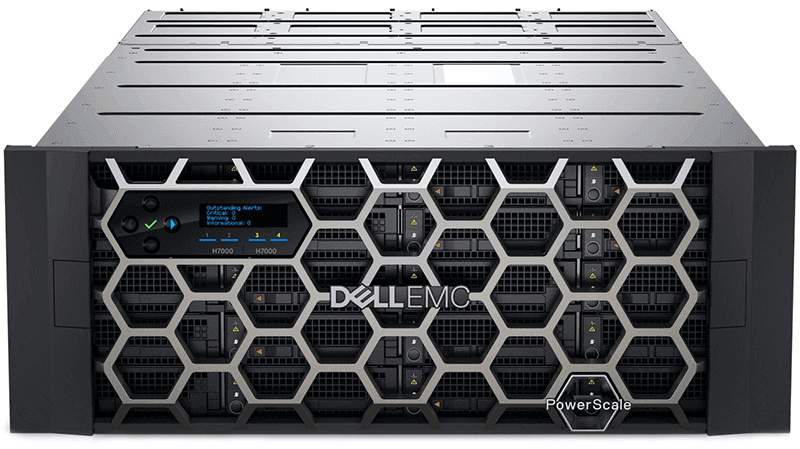
| Chassis density | 1U per node (standalone) | 4 nodes in 4U chassis — up to 1.9 PB raw |
| Memory per node | 512 GB | 384 GB ECC |
| Front-end networking | 2 × 100GbE or 2 × 25GbE | 2 × 100GbE or 2 × 25GbE |
| Cluster scale | 3–252 nodes, up to 307 PB single namespace | Scales within the same OneFS cluster as F710 |
| Capacity & Media | ||
| Drive technology | NVMe QLC or TLC SSD | SAS/SATA HDD with SSD read/write cache |
| HDD options | -- | 12, 16, 20 or 24 TB |
| SSD cache per node | n/a — all-flash | 3.2 TB or 7.68 TB (1 or 2 drives) |
| Best-fit data temperature | Hot / active / performance tier | Warm and cold / archive tier |
| Inline data reduction | SmartDedupe + SmartCompression (inline) | Post-process efficiencies via OneFS |
| Performance | ||
| Workload profile | Low-latency random and high-throughput streaming — AI/ML, analytics, M&E rendering | Sequential and large-file workloads — backup target, archive, video repositories |
| Latency class | Sub-millisecond (NVMe) | Multi-millisecond (HDD-bound, SSD-cache accelerated) |
| Scaling model | Linear — performance scales with each node added | Capacity-led — performance per TB is lower than F710 |
| Software & Data Services | ||
| Operating system | OneFS 9.7 | OneFS 9.10 or later |
| Protocols | NFS, SMB, HDFS, S3, multi-protocol | NFS, SMB, HDFS, S3, multi-protocol (same namespace as F710) |
| Replication | SyncIQ — synchronous and asynchronous | SyncIQ (cluster-wide) |
| Tiering | SmartTiering source for hot data | SmartTiering target for cold data auto-migrated from F710 |
| Snapshots / WORM | SnapshotIQ, SmartLock WORM | SnapshotIQ, SmartLock WORM |
| Resilience & Management | ||
| Node failure tolerance | Up to N+4 (OneFS protection levels) | N+2 to N+4 across the cluster |
| Non-disruptive scale | Add nodes online, auto-rebalance | Add chassis online, auto-rebalance |
| Management plane | OneFS WebUI, CloudIQ, DataIQ, APEX AIOps | OneFS WebUI, CloudIQ, DataIQ, APEX AIOps |
| Encryption | SED drives, data-at-rest encryption | SED drives, data-at-rest encryption |
| Deployment Economics | ||
| Relative £/TB | High — performance flash pricing | Low — bulk HDD economics |
| Relative £/IOPS | Low — NVMe density | High — HDD-bound |
| Power profile | Lower watts per TB for active data | Higher watts per TB but lower watts per usable PB at rest |
| Typical UK use cases | AI training data, VFX/render, analytics, primary unstructured workloads | Backup landing zone, media archive, research datasets, NHS imaging long-term retention |
Expert Analysis
These two nodes are not really competitors — they are designed to sit in the same OneFS cluster and do different jobs. The F710 is an all-NVMe performance node built for sub-millisecond latency on AI/ML pipelines, analytics, rendering and other hot unstructured workloads. The H7000 is a high-density hybrid chassis that packs four nodes and up to 1.9 PB of raw HDD into 4U, with SSD cache in front, and is designed as the warm/cold tier of the same namespace.
If the workload is performance-led — GPU feeding, seismic, genomics, broadcast post-production — the F710 wins clearly. 512 GB of memory per node, NVMe QLC/TLC media and 100GbE front-end ports give it the latency and bandwidth profile that the H7000 simply cannot match, regardless of how much SSD cache you put in front of spinning disk. Conversely, when the requirement is bulk capacity at a sensible £/TB — backup landing zones, media archives, NHS imaging retention, research datasets that have aged off primary — the H7000 is materially cheaper per usable terabyte and denser per rack unit. Trying to serve cold archive from an F710 cluster is an expensive way to store cold data.
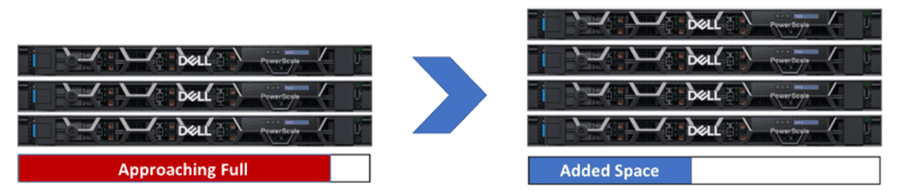
The more interesting decision for most UK buyers is not 'either/or' but ratio. OneFS 9.10 lets both node types share a single namespace, and SmartTiering will automatically migrate cold files from F710 to H7000 based on policy. A typical mixed cluster might be 20–30% F710 capacity for the active working set and 70–80% H7000 for everything else, governed by a single management plane (OneFS, CloudIQ, DataIQ). That is where PowerScale earns its premium over commodity NAS.
Recommendation: pick F710-only if your entire dataset is hot and latency-sensitive and budget allows. Pick H7000-only if you are replacing an archive or backup target and performance is a secondary concern. For anything in between — which is most general-purpose enterprise file estates — design a mixed cluster and let SmartTiering do the work.
Ready to proceed?
Want to compare different products or add more to this comparison?
Open Interactive Comparison Tool →