UK’s trusted IT infrastructure partner since 2003
Servnet
FinanceToolsConfiguratorGet in Touch
← Comparison Tool

💻 Dell Pro Plus 13 vs Microsoft Surface Laptop 8 for Business

AI-powered analysis across 24 matched specifications

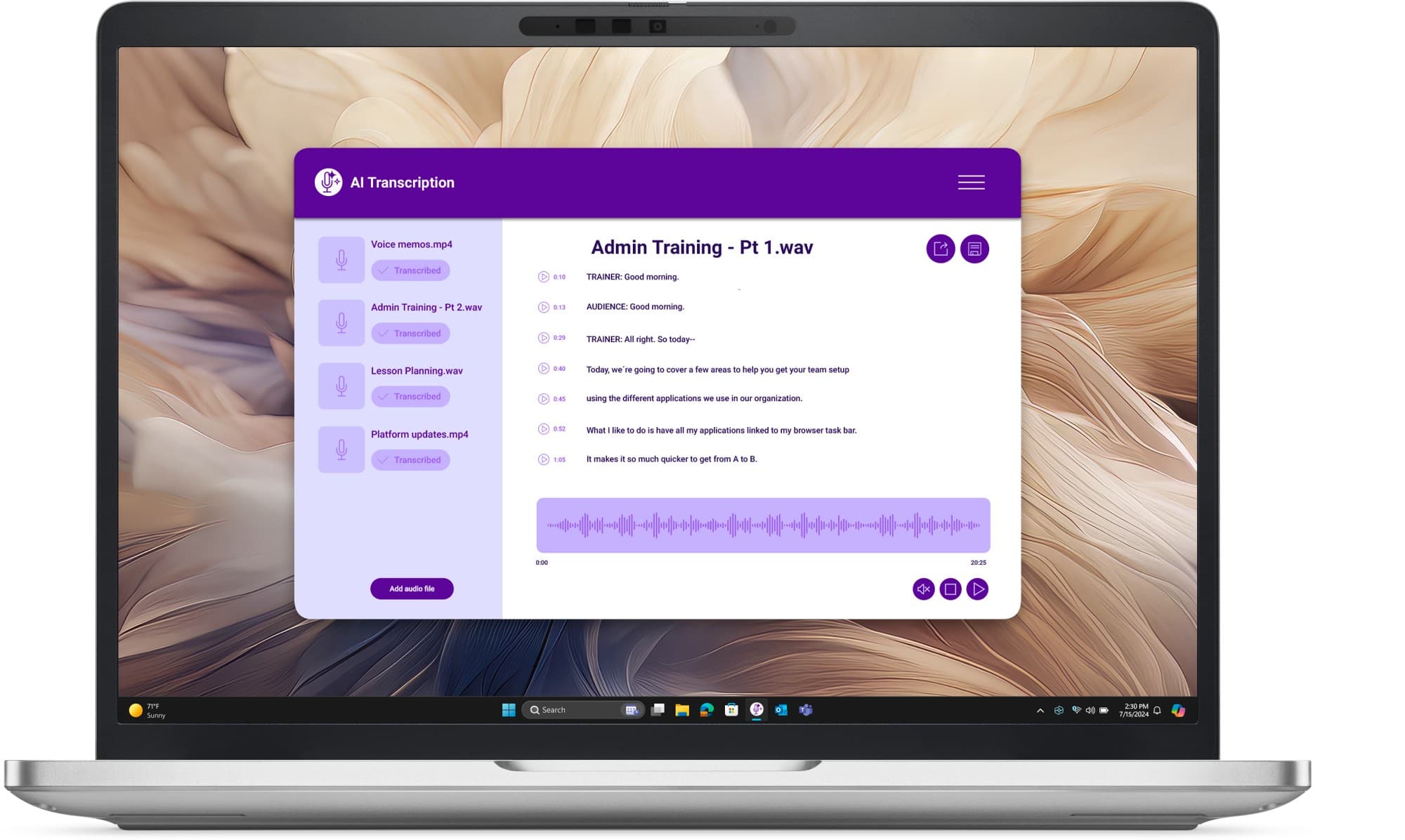
Dell Pro 13 Plus (PB13250) business laptop in silver — front view of the 13.3-inch 16:10 anti-glare display
Dell Pro 13 Plus
Dell
7.7
Overall Score
Best for IT teams needing field-upgradeable RAM, optional 4G/5G, and vPro manageability.
View Full Details
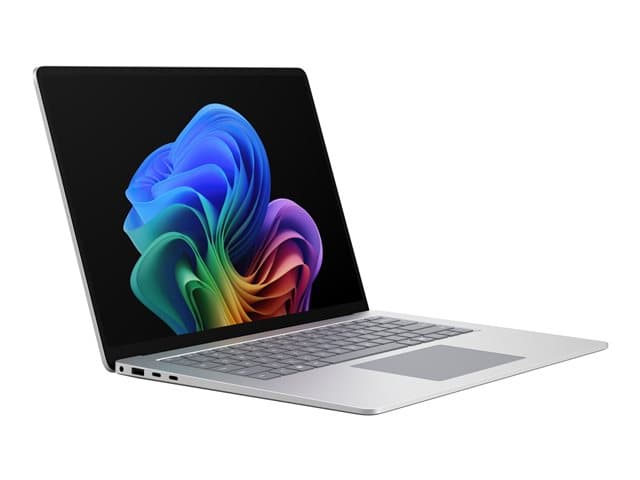
Microsoft Surface Laptop 8 for Business in Platinum, open at an angle showing the PixelSense touchscreen and backlit keyboard
Microsoft Surface Laptop 8
Microsoft
7.9
Overall Score
Best for executives and creatives requiring a stunning touchscreen and Copilot+ AI capabilities.
View Full Details

Performance Overview

Scores based on quantifiable specification values (1-10 scale)

PerformanceDisplayBattery & ThermalsManageability & SecurityExpandability & RepairEcosystem & SoftwareValue
Dell Pro 13 Plus
Microsoft Surface Laptop 8
Performance
Dell Pro 13 Plus
8.0
Microsoft Surface Laptop 8
8.0
Display
Dell Pro 13 Plus
6.0
Microsoft Surface Laptop 8
9.0
Battery & Thermals
Dell Pro 13 Plus
7.0
Microsoft Surface Laptop 8
8.0
Manageability & Security
Dell Pro 13 Plus
8.0
Microsoft Surface Laptop 8
9.0
Expandability & Repair
Dell Pro 13 Plus
9.0
Microsoft Surface Laptop 8
5.0
Ecosystem & Software
Dell Pro 13 Plus
8.0
Microsoft Surface Laptop 8
8.0
Value
Dell Pro 13 Plus
8.0
Microsoft Surface Laptop 8
8.0

Detailed Specifications

Specification
Dell Pro 13 Plus
Dell
Microsoft Surface Laptop 8
Microsoft
Performance
ProcessorIntel Core Ultra 7 265U (Series 2) — 12 cores / 14 threads, up to 5.3 GHz, 12 MB cache, 15 W base, vProIntel Core Ultra Series 3 (Panther Lake) — Ultra 5 335, Ultra 7 366H (Intel Graphics) or Ultra X7 368H (Intel Arc B390, up to 122 TOPS graphics) — or Qualcomm Snapdragon X2 Plus / X2 Elite
CPU cores12 cores / 14 threads (Core Ultra 7 265U)--
GraphicsIntel Graphics (integrated); on-die Intel AI Boost NPUIntel Graphics (Core Ultra 5 335 / 7 366H); Intel Arc B390 on Core Ultra X7 368H (up to 122 TOPS graphics)
Discrete GPUIntegrated Intel graphicsIntegrated graphics (Intel Graphics / Intel Arc B390)
Memory & storage
Maximum memory32 GB DDR5-5600 SO-DIMM — two slots, upgradeable to 64 GBUp to 64 GB LPDDR5X memory
Memory typeDDR5-5600 SO-DIMM (two slots)LPDDR5X
Maximum storage512 GB M.2 PCIe Gen4 NVMe SSD; platform options 256 GB – 2 TB incl. self-encrypting (Opal)Up to 2 TB SSD
Display
Display size13.3"13.8-inch or 15-inch
Resolution1920 × 12002304×1536 (13.8") or 3270×2180 (15")
Brightness300 nits--
Panel13.3" 16:10 FHD+ (1920 × 1200) IPS anti-glare, 300 nits, 60 Hz, 45% NTSC, non-touch; touch and 400-nit ComfortView Plus panels to orderPixelSense touch, 120Hz
TouchscreenTouch panel to orderPixelSense touch
Connectivity
Thunderbolt / USB4 ports2× Thunderbolt 4 (USB4, DisplayPort alt mode, Power Delivery)2x USB-C (USB4 / Thunderbolt 4)
Ports2× Thunderbolt 4 (USB4, DisplayPort alt mode, PD), 2× USB-A 3.2 Gen 1 (one with PowerShare), HDMI 2.1, headset jack, smart-card slot, wedge lock slot — no SD reader2x USB-C (USB4 / Thunderbolt 4), USB-A 3.1, Surface Connect and 3.5mm headphone
Mobile broadband (4G/5G) option4G/5G WWAN configurable to order--
Physical
Weight (from)From 1.347 kg (2.97 lb)from 1.35 kg
Dimensions300.0 × 215.0 × 19.79 mm (20.75 mm max)--
Security & management
Intel vProIntel Core Ultra 7 265U with vPro--
Secured-core PC--Secured-core PC: TPM 2.0 with Microsoft Pluton
Copilot+ PC (40+ TOPS NPU)Not Copilot+-class — Core Ultra 200U silicon; Dell reserves Copilot+ for the 200V builds of this chassisCopilot+ PC NPU: up to 80 TOPS on Snapdragon X2 (Hexagon); 47–50 TOPS on Intel (AI Boost)
Battery
Battery capacity3-cell 55 Wh--
Rated battery lifeExpressCharge to ~80% in an hourUp to 23 hours video playback (13.8" Intel) / 21 hours (15"); Snapdragon X2 up to 20 hours
Support
Operating systemWindows 11 Pro installed; Windows 11 Home and Ubuntu 24.04 LTS supportedWindows 11 Pro
Base warrantyDell business warranty — ProSupport and ProSupport Plus uplifts quoted--
Performance
Processor
Dell Pro 13 PlusIntel Core Ultra 7 265U (Series 2) — 12 cores / 14 threads, up to 5.3 GHz, 12 MB cache, 15 W base, vPro
Microsoft Surface Laptop 8Intel Core Ultra Series 3 (Panther Lake) — Ultra 5 335, Ultra 7 366H (Intel Graphics) or Ultra X7 368H (Intel Arc B390, up to 122 TOPS graphics) — or Qualcomm Snapdragon X2 Plus / X2 Elite
CPU cores
Dell Pro 13 Plus12 cores / 14 threads (Core Ultra 7 265U)
Microsoft Surface Laptop 8--
Graphics
Dell Pro 13 PlusIntel Graphics (integrated); on-die Intel AI Boost NPU
Microsoft Surface Laptop 8Intel Graphics (Core Ultra 5 335 / 7 366H); Intel Arc B390 on Core Ultra X7 368H (up to 122 TOPS graphics)
Discrete GPU
Dell Pro 13 PlusIntegrated Intel graphics
Microsoft Surface Laptop 8Integrated graphics (Intel Graphics / Intel Arc B390)
Memory & storage
Maximum memory
Dell Pro 13 Plus32 GB DDR5-5600 SO-DIMM — two slots, upgradeable to 64 GB
Microsoft Surface Laptop 8Up to 64 GB LPDDR5X memory
Memory type
Dell Pro 13 PlusDDR5-5600 SO-DIMM (two slots)
Microsoft Surface Laptop 8LPDDR5X
Maximum storage
Dell Pro 13 Plus512 GB M.2 PCIe Gen4 NVMe SSD; platform options 256 GB – 2 TB incl. self-encrypting (Opal)
Microsoft Surface Laptop 8Up to 2 TB SSD
Display
Display size
Dell Pro 13 Plus13.3"
Microsoft Surface Laptop 813.8-inch or 15-inch
Resolution
Dell Pro 13 Plus1920 × 1200
Microsoft Surface Laptop 82304×1536 (13.8") or 3270×2180 (15")
Brightness
Dell Pro 13 Plus300 nits
Microsoft Surface Laptop 8--
Panel
Dell Pro 13 Plus13.3" 16:10 FHD+ (1920 × 1200) IPS anti-glare, 300 nits, 60 Hz, 45% NTSC, non-touch; touch and 400-nit ComfortView Plus panels to order
Microsoft Surface Laptop 8PixelSense touch, 120Hz
Touchscreen
Dell Pro 13 PlusTouch panel to order
Microsoft Surface Laptop 8PixelSense touch
Connectivity
Thunderbolt / USB4 ports
Dell Pro 13 Plus2× Thunderbolt 4 (USB4, DisplayPort alt mode, Power Delivery)
Microsoft Surface Laptop 82x USB-C (USB4 / Thunderbolt 4)
Ports
Dell Pro 13 Plus2× Thunderbolt 4 (USB4, DisplayPort alt mode, PD), 2× USB-A 3.2 Gen 1 (one with PowerShare), HDMI 2.1, headset jack, smart-card slot, wedge lock slot — no SD reader
Microsoft Surface Laptop 82x USB-C (USB4 / Thunderbolt 4), USB-A 3.1, Surface Connect and 3.5mm headphone
Mobile broadband (4G/5G) option
Dell Pro 13 Plus4G/5G WWAN configurable to order
Microsoft Surface Laptop 8--
Physical
Weight (from)
Dell Pro 13 PlusFrom 1.347 kg (2.97 lb)
Microsoft Surface Laptop 8from 1.35 kg
Dimensions
Dell Pro 13 Plus300.0 × 215.0 × 19.79 mm (20.75 mm max)
Microsoft Surface Laptop 8--
Security & management
Intel vPro
Dell Pro 13 PlusIntel Core Ultra 7 265U with vPro
Microsoft Surface Laptop 8--
Secured-core PC
Dell Pro 13 Plus--
Microsoft Surface Laptop 8Secured-core PC: TPM 2.0 with Microsoft Pluton
Copilot+ PC (40+ TOPS NPU)
Dell Pro 13 PlusNot Copilot+-class — Core Ultra 200U silicon; Dell reserves Copilot+ for the 200V builds of this chassis
Microsoft Surface Laptop 8Copilot+ PC NPU: up to 80 TOPS on Snapdragon X2 (Hexagon); 47–50 TOPS on Intel (AI Boost)
Battery
Battery capacity
Dell Pro 13 Plus3-cell 55 Wh
Microsoft Surface Laptop 8--
Rated battery life
Dell Pro 13 PlusExpressCharge to ~80% in an hour
Microsoft Surface Laptop 8Up to 23 hours video playback (13.8" Intel) / 21 hours (15"); Snapdragon X2 up to 20 hours
Support
Operating system
Dell Pro 13 PlusWindows 11 Pro installed; Windows 11 Home and Ubuntu 24.04 LTS supported
Microsoft Surface Laptop 8Windows 11 Pro
Base warranty
Dell Pro 13 PlusDell business warranty — ProSupport and ProSupport Plus uplifts quoted
Microsoft Surface Laptop 8--

Expert Analysis

Specs web-verified from manufacturer datasheets · Servnet-reviewed · Last reviewed 26 Jul 2026

The Surface Laptop 8 is the better pick for businesses prioritising AI readiness and premium display quality, whereas the Dell Pro Plus 13 suits IT teams that need upgradeable components and optional mobile broadband. The Surface boasts a high-resolution 120Hz PixelSense touchscreen and Copilot+ certification with up to 80 TOPS NPU, making it ideal for intensive productivity and creative tasks. In contrast, the Dell offers socketed DDR5 RAM (upgradeable to 64GB) and a user-accessible M.2 SSD, simplifying field repairs and extending device lifespan. Dell also configures with 4G/5G WWAN—crucial for mobile workers. Several Surface models claim up to 23 hours video playback, suggesting superior battery life, though Dell’s ExpressCharge reaches 80% in an hour. Both deliver Intel Core Ultra performance and up to 2TB storage. The Dell includes Intel vPro for remote manageability, but the Surface’s Secured-core PC with Microsoft Pluton and Copilot+ features offer stronger security and AI capabilities. Port selection differs: Dell provides Thunderbolt 4, USB-A, HDMI, and a smart-card slot, while Surface opts for a minimal set with Surface Connect. The Dell’s optional touch and 400-nit ComfortView Plus panel improve the display, yet still trail Surface’s pixel density and 120Hz smoothness. For organisations that value long-term support, Dell’s ProSupport warranties are a plus. For UK firms with hybrid workers, the Dell’s lighter starting weight (1.347 vs 1.35 kg) is marginal but note the WWAN advantage. Ultimately, choose the Surface for cutting-edge display and AI, or the Dell for practical repairability and connectivity.

Dell Pro 13 Plus
Best for IT teams needing field-upgradeable RAM, optional 4G/5G, and vPro manageability.
Microsoft Surface Laptop 8
Best for executives and creatives requiring a stunning touchscreen and Copilot+ AI capabilities.

Ready to proceed?

Not sure which one fits your environment?

Our UK specialists will recommend the right option for your workload and send itemised pricing — vendor-neutral, no obligation.

Response within 4 business hours · 20+ yr UK reseller

Dell Pro 13 Plus
View Full Details →
Microsoft Surface Laptop 8
View Full Details →

Want to compare different products or add more to this comparison?

Open Interactive Comparison Tool →
💷 Spread the cost · IT finance

Made your choice? Spread the cost.

Whichever you choose, you don't have to pay for it all upfront — finance your new hardware from £47/mo ex VAT on hire purchase or lease. Compare monthly payments and terms in seconds.

See finance from £47/mo

Indicative estimate · subject to change · no credit check at this stage · hire purchase, lease & subscription for UK businesses

Indicative illustration only. Servnet Limited is not authorised or regulated by the FCA and does not provide financial advice or arrange finance. All finance opportunities are referred to Number Eight Business Finance. Finance policy

From
£47/mo
over 36 months · ex VAT · indicative estimate, subject to change

Talk to a UK specialist

Get expert advice or a no-obligation quote — servers, storage, networking, maintenance, finance and cloud. We reply the same working day.

or call 0800 987 4111