UK’s trusted IT infrastructure partner since 2003
Servnet
FinanceToolsConfiguratorGet in Touch
← Comparison Tool

💻 ZBook 8 G1i vs Fury G1i

AI-powered analysis across 27 matched specifications

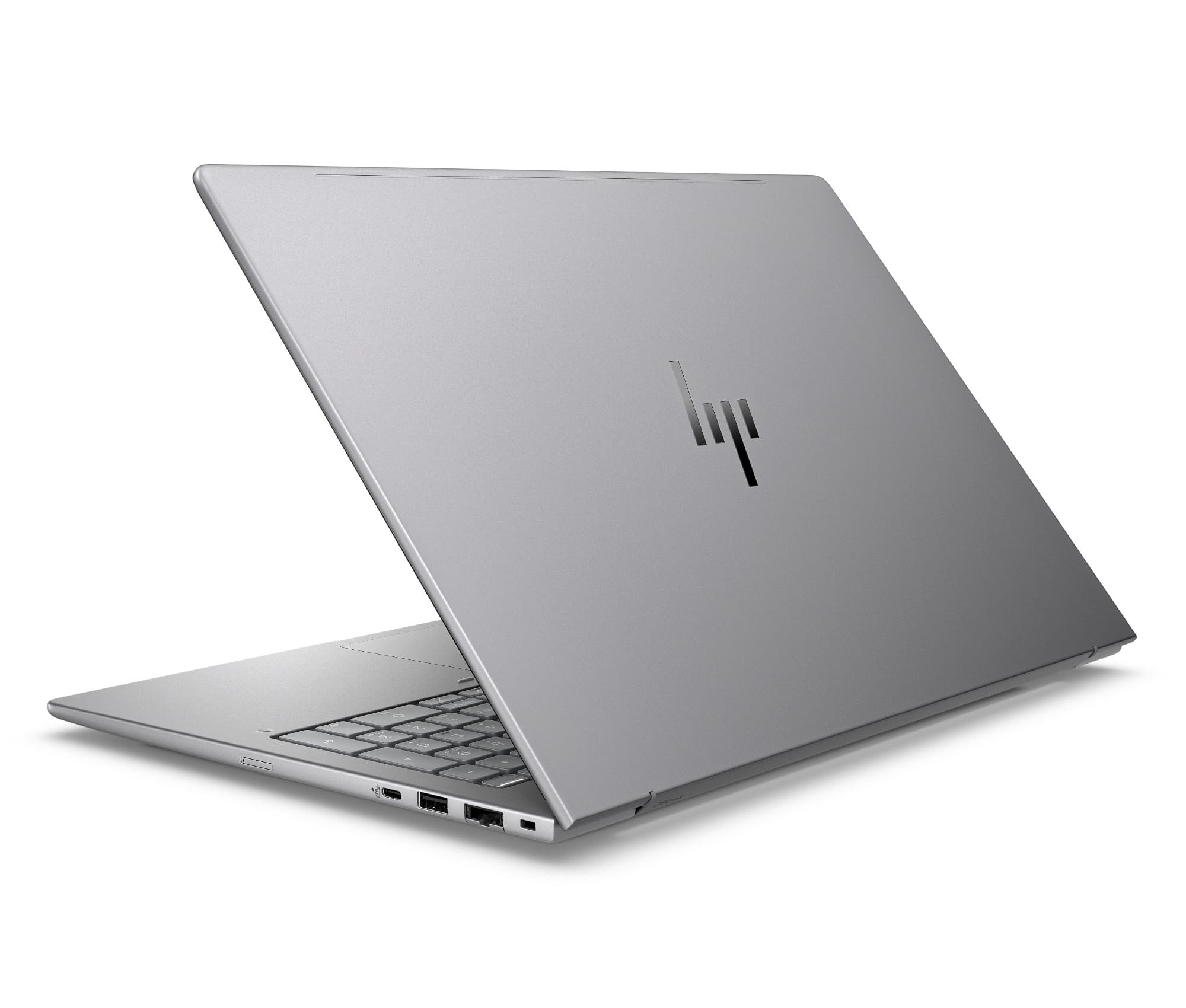
HP ZBook 8 G1i Data Science mobile workstation in Meteor Silver, open front three-quarter view
HP ZBook 8 G1i
HP
7.9
Overall Score
Mobile professionals — CAD reviewers, developers, data scientists — who need ISV-certified Z reliability, vPro-eligible manageability and RTX 500 Ada acceleration in a light 14/16in chassis they carry every day, and want a simple fleet standard.
View Full Details
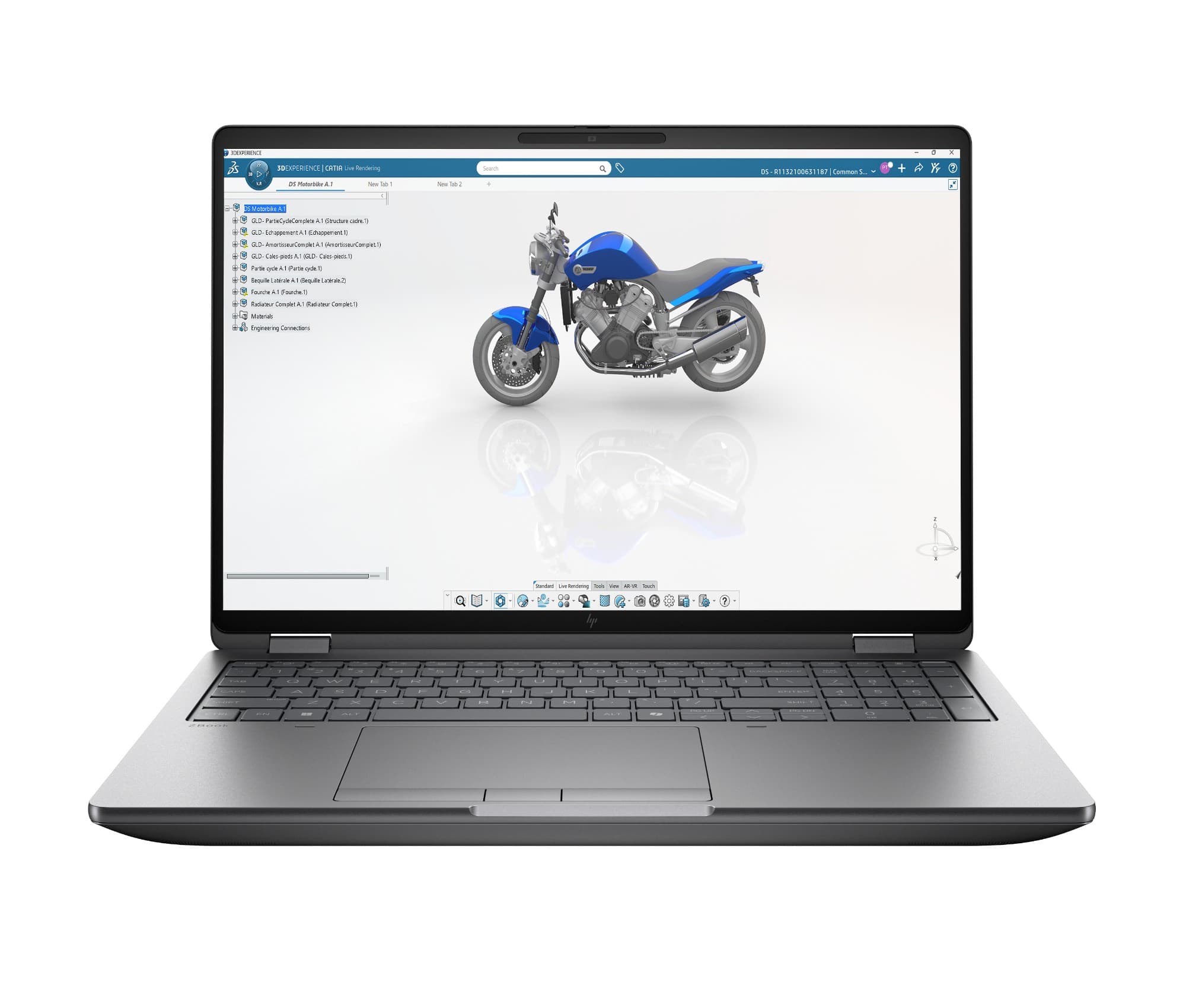
HP ZBook Fury G1i mobile workstation, open front three-quarter view showing the display and keyboard
HP ZBook Fury G1i
HP
8.5
Overall Score
Engineers, VFX and AI teams running heavy simulation, large-scene GPU rendering or on-device model work who need up to RTX PRO 5000 Blackwell (24 GB GDDR7), up to 192 GB of memory (ECC to 128 GB) and quad PCIe Gen5 storage in a desktop-replacement.
View Full Details

Performance Overview

Scores based on quantifiable specification values (1-10 scale)

Silicon & AIDisplayPorts & expansionSecurity & manageabilityPortabilityValue
HP ZBook 8 G1i
HP ZBook Fury G1i
Silicon & AI
HP ZBook 8 G1i
7.0
HP ZBook Fury G1i
9.6
Display
HP ZBook 8 G1i
8.4
HP ZBook Fury G1i
8.9
Ports & expansion
HP ZBook 8 G1i
7.2
HP ZBook Fury G1i
9.6
Security & manageability
HP ZBook 8 G1i
8.0
HP ZBook Fury G1i
9.3
Portability
HP ZBook 8 G1i
9.2
HP ZBook Fury G1i
4.8
Value
HP ZBook 8 G1i
8.6
HP ZBook Fury G1i
7.6

Detailed Specifications

Specification
HP ZBook 8 G1i
HP
HP ZBook Fury G1i
HP
At a Glance
PositioningCompact, carry-daily mobile workstationFlagship desktop-replacement workstation
Screen sizes14in or 16in16in or 18in
ClassHP Z mobile workstation, ISV-certifiedHP Z flagship mobile workstation, ISV-certified
Best suited toCAD review, dev, data science on the moveHeavy simulation, GPU rendering, on-device AI
Starting weightFrom 1.45 kg (14in) / 1.76 kg (16in)From 2.43 kg (16in) / 3.52 kg (18in)
Operating systemWindows 11 ProWindows 11 Pro (Home/FreeDOS/Ubuntu options)
Silicon, memory & storage
ProcessorIntel Core Ultra Series 2 (H): Ultra 9 285H / 7 265H / 7 255H, up to 16 cores, up to 5.4 GHzIntel Core Ultra Series 2 (HX): up to Ultra 9 285HX, up to 24 cores (8P+16E), up to 5.5 GHz, 36 MB cache
NPU / AI PC statusIntel AI Boost NPU up to 13 TOPS — AI PC, not Copilot+Intel AI Boost NPU up to 13 TOPS — AI PC, not Copilot+
MemoryUp to 64 GB DDR5-5600, 2x SO-DIMM, non-ECCUp to 192 GB (16in) / 256 GB (18in) DDR5, 4x SO-DIMM, ECC optional
Storage1x M.2 2280 PCIe Gen4 NVMe, up to 2 TBUp to 4x M.2 NVMe (PCIe Gen5), up to 4 TB per drive; SED / FIPS options
Graphics & GPU acceleration
Integrated GPUIntel Arc GraphicsIntel Graphics
Discrete GPUNVIDIA RTX 500 Ada Generation, 4 GB GDDR6 (entry pro)NVIDIA RTX PRO Blackwell: 1000/2000 (8 GB), 3000 (12 GB), 4000 (16 GB), 5000 (24 GB GDDR7)
GPU workload fitPro viewport, light rendering, entry AI inferenceLarge-model rendering, simulation, on-device AI training/inference
Display & I/O
Panels14in up to WQXGA 2560x1600 120 Hz DreamColor, 500 nits, 100% DCI-P3; 16in up to WQUXGA 3840x2400 120 Hz16in up to WQUXGA 3840x2400 120 Hz; 18in WQXGA 2560x1600 165 Hz; both 500 nits, 100% DCI-P3, anti-glare
Thunderbolt2x Thunderbolt 4 (40 Gbps, USB-C, DP 2.1)2x Thunderbolt 5 (80 Gbps) + 1x Thunderbolt 4 (40 Gbps)
Other USB1x USB-C 20 Gbps, 1x USB-A 5 Gbps1x USB-A 10 Gbps
Video & wired LANHDMI 2.1, RJ-45HDMI 2.1, RJ-45 (Intel I226 2.5GbE)
Card readersNo SD slot; combo audio jackSD 7.0 reader + smart card reader; combo audio jack
WirelessIntel Wi-Fi 7 BE201 (2x2), BT 5.4, optional 5G WWANIntel Wi-Fi 7 BE200 (2x2), BT 5.4, optional HP R15 5G WWAN
Security & manageability
Fleet manageabilityIntel vPro on eligible SKUs (Ultra 9 285H / 7 265H)Intel vPro Enterprise (Ultra 9 285HX)
Endpoint / firmwareHP Wolf Pro Security Edition; Sure Start / Sure Recover / Sure Admin; TPM 2.0HP Wolf Security; Secured-Core PC; HP Sure Start; TPM 2.0 (FIPS 140-3)
Biometrics & privacyOptional fingerprint reader; optional IR camera (Windows Hello)Fingerprint reader; 5 MP camera with privacy shutter; optional IR; HP Tamper Lock
DurabilityMIL-STD 810H testedRugged Z chassis; HP Tamper Lock intrusion detection
Battery, keyboard & positioning
Battery3-cell 62 Wh; fast charge ~50% in 30 min; USB-C adapter up to 140 W8-cell 99 Wh; HP Fast Charge (high-wattage adapter)
KeyboardBacklit business keyboardHP Premium Quiet backlit, full-size with numeric keypad + Copilot key
Warranty1/1/0 limited (region dependent)1-year limited (region dependent); Z support upgrades available
Pricing / tierOn request; business pricing below RRP — the portable ZOn request; flagship tier priced well above the ZBook 8

Expert Analysis

Specs web-verified from manufacturer datasheets · Servnet-reviewed · Last reviewed 12 Jul 2026

These are different-class Z machines, not close rivals. The ZBook 8 G1i is the better everyday choice for most UK teams: ISV-certified pro reliability, vPro-eligible manageability and RTX 500 Ada acceleration in a sub-1.5 kg 14in chassis that is easy to standardise across a fleet. The ZBook Fury G1i is the pick only where the workload demands it — engineers and studios running heavy simulation, GPU rendering or on-device AI who need up to RTX PRO 5000 Blackwell, up to 192 GB of memory (ECC to 128 GB) and quad Gen5 storage, and will accept a 2.4 kg-plus desktop replacement. Neither is a Copilot+ PC, so buyers wanting 40+ TOPS on-device Windows AI should look elsewhere.

HP ZBook 8 G1i
Mobile professionals — CAD reviewers, developers, data scientists — who need ISV-certified Z reliability, vPro-eligible manageability and RTX 500 Ada acceleration in a light 14/16in chassis they carry every day, and want a simple fleet standard.
HP ZBook Fury G1i
Engineers, VFX and AI teams running heavy simulation, large-scene GPU rendering or on-device model work who need up to RTX PRO 5000 Blackwell (24 GB GDDR7), up to 192 GB of memory (ECC to 128 GB) and quad PCIe Gen5 storage in a desktop-replacement.

Frequently asked questions

Which should we standardise on for a business fleet?

For most rollouts the ZBook 8 G1i is the easier fleet standard: it is lighter (from 1.45 kg), vPro-eligible on the Ultra 9 285H and 7 265H, ships with HP Wolf Pro Security, and sits at a lower tier than the Fury. Reserve the ZBook Fury G1i for the power-user minority who genuinely need its GPU, memory and storage headroom, rather than issuing it estate-wide.

Do both have Thunderbolt, and is it real Thunderbolt?

Yes — both are Intel-based, so they carry full Thunderbolt rather than the USB4-only ports you get on Snapdragon machines. The ZBook 8 G1i has 2x Thunderbolt 4 (40 Gbps, DisplayPort 2.1). The ZBook Fury G1i adds 2x Thunderbolt 5 (80 Gbps) plus 1x Thunderbolt 4, so it is better for high-bandwidth docks, external GPUs and multi-monitor engineering desks.

Are these Copilot+ PCs?

No. Both use an Intel AI Boost NPU rated up to 13 TOPS, which is below the 40+ TOPS threshold Microsoft requires for Copilot+ features. They are AI PCs, but their heavy AI acceleration comes from the NVIDIA GPU (RTX 500 Ada on the ZBook 8; up to RTX PRO 5000 Blackwell on the Fury). If you specifically need Copilot+ on-device Windows AI, look at a Snapdragon or Lunar Lake ultrabook instead.

How do these compare to a MacBook Pro or a thin-and-light ultrabook?

Both are ISV-certified Windows mobile workstations with professional NVIDIA GPUs, vPro manageability and ECC memory on the Fury — aimed at CAD, CAE, DCC and AI pro-app ecosystems. A MacBook Pro uses Apple silicon with Thunderbolt 4/5 but is not a Copilot+ PC, has no vPro and no RTX PRO/CUDA path; a mainstream ultrabook lacks the discrete pro GPU and expandability. Choose a Z workstation when your toolchain is Windows and GPU/ISV-certified.

Specs verified from

Ready to proceed?

Not sure which one fits your environment?

Our UK specialists will recommend the right option for your workload and send itemised pricing — vendor-neutral, no obligation.

Response within 4 business hours · 20+ yr UK reseller

HP ZBook 8 G1i
View Full Details →
HP ZBook Fury G1i
View Full Details →

Want to compare different products or add more to this comparison?

Open Interactive Comparison Tool →
💷 Spread the cost · IT finance

Made your choice? Spread the cost.

Whichever you choose, you don't have to pay for it all upfront — finance your new hardware from £47/mo ex VAT on hire purchase or lease. Compare monthly payments and terms in seconds.

See finance from £47/mo

Indicative estimate · subject to change · soft search, no credit-file impact · hire purchase, lease & subscription for UK businesses

From
£47/mo
over 36 months · ex VAT · indicative estimate, subject to change

Talk to a UK specialist

Get expert advice or a no-obligation quote — servers, storage, networking, maintenance, finance and cloud. We reply the same working day.

or call 0800 987 4111