
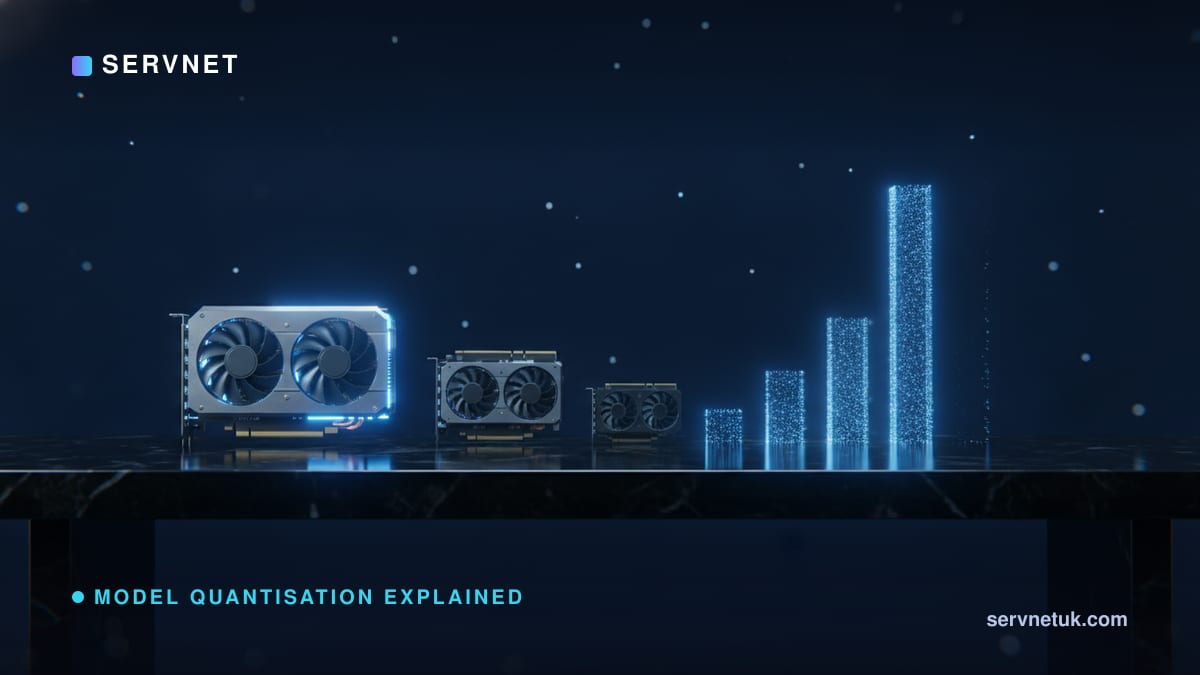
Model quantisation is the single biggest lever a UK buyer has against surging GPU prices in 2026: shrinking a model's numbers from FP16 down to FP8 or FP4 cuts VRAM for a 70-billion-parameter model from 140GB to as little as 35–40GB, turning a multi-GPU data-centre job into one that needs fewer, smaller GPUs. This explainer defines exactly what quantisation does to weights and activations, works through the memory and throughput arithmetic for a real 70B model, compares FP8, INT8 and FP4 on today's hardware, and sets out a practical decision framework — plus what the EU AI Act means for using a quantised model in production.
View the data behind this chart
| FP16 | FP8 | Q4_K_M (INT4) | |
|---|---|---|---|
| Weight VRAM | GB140 | GB70 | GB42.5 |
What Model Quantisation Actually Means
Model quantisation is the process of reducing the numerical precision used to store a neural network's weights, activations and other internal values — converting them from high-precision formats such as FP32 or FP16 into lower-precision representations like 8-bit or 4-bit numbers. Nothing about the model's architecture changes; what changes is how many bits are spent recording each number the model uses to compute its outputs.
The payoff is threefold: a smaller memory footprint, faster computation during inference because hardware can move and multiply smaller numbers more quickly, and lower hardware and energy costs overall. For a UK business trying to run a large open-weight model without committing to a rack of data-centre GPUs, this is the mechanism that makes the difference between "needs eight 80GB cards" and "runs on one affordable GPU already in the building."
The Core Mechanics: Bytes, Bits and Precision Formats
Every parameter in a model is stored using a fixed number of bytes, and the total memory a model needs for its weights is (bytes per parameter) × (number of parameters). FP16 — 16-bit floating point — is the standard precision for training and full-quality inference on modern hardware, using 2 bytes per parameter. It's the baseline everything else is compared against.
FP8 (8-bit floating point) uses 1 byte per parameter, cutting weight memory in half versus FP16 while offering near-FP16 quality thanks to native hardware acceleration. INT8 (8-bit integer) also uses 1 byte per parameter and halves VRAM the same way, but stores values as fixed integers rather than floating-point numbers — it's broadly supported across older and newer hardware generations and is particularly strong for values clustered near zero. FP8 has an edge over INT8 for transformer activations specifically because its exponential spacing gives it better robustness to outlier values, which occur frequently in attention layers.
At the bottom end, FP4 and INT4 use just 0.5 bytes per parameter — a 75% VRAM reduction against FP16. This is where the trade-offs become more visible, but for many workloads the quality loss is smaller than intuition suggests.
It's worth being precise about scope here: these figures cover the memory needed for the model's weights only. Total VRAM in use during inference also includes the KV cache, runtime buffers, framework overhead and memory fragmentation, all of which grow with context length and batch size — so real-world headroom needs to sit above the weight-only figure, not exactly at it.
Worked Example: Running a 70B-Parameter Model
Take a 70-billion-parameter open-weight model — a realistic size for a serious UK deployment. At FP16, its weights alone need 140GB of VRAM, which forces multiple high-VRAM data-centre GPUs working together. Quantised to FP8, the same model needs 70GB — half the memory, achieved with essentially no architectural change. Quantised further to Q4_K_M, an INT4-class format, weight memory drops to roughly 42–43GB — a Llama 3.3 70B Q4_K_M GGUF file is 42.5GB, because Q4_K_M stores per-block scaling factors and keeps some tensors at higher precision (a pure 4-bit format would be about 35GB).
That progression — 140GB, 70GB, roughly 42GB — is the entire case for quantisation in one line. It's also why understanding how much VRAM an LLM needs before specifying hardware is the first step in any UK procurement decision, since the precision format chosen changes the answer by a factor of three to four.
On the performance side, FP8 isn't just smaller — it's faster. Batch-1 decode throughput on an H100 running FP8 shows a 1.4–1.7x lift over the same workload at FP16, because the hardware processes the smaller numbers more efficiently. Lower precision therefore compounds two benefits at once: it fits on cheaper hardware and it runs faster on that hardware.
FP8 vs FP16: The 2026 Production Standard
FP8 has become the default production inference precision in 2026 because NVIDIA's Ada Lovelace, Hopper and Blackwell architectures all support it natively — the hardware is built to accelerate FP8 math directly rather than emulate it. For production customer service chatbots or code-assistance tools, FP8 is the recommended precision: it delivers near-FP16 quality alongside the VRAM savings and throughput lift described above, without the added complexity of calibration required for more aggressive quantisation.
INT8 remains relevant where hardware doesn't support FP8 natively, or where a workload's value distribution is well-behaved and doesn't suffer from the outlier problem FP8's exponential spacing was designed to solve. The practical rule: on Ada, Hopper or Blackwell hardware, FP8 is the sensible starting point for anything running in production; INT8 is the fallback on older or non-NVIDIA hardware.
Quantisation Methods: GGUF, GPTQ and AWQ
Three method families dominate 2026 deployments, each suited to a different hardware target. GGUF (GPT-Generated Unified Format) is built for CPU and mixed CPU+GPU inference — the format of choice when a workload needs to run without a data-centre GPU at all. GPTQ (Generative Pre-trained Transformer Quantization) targets NVIDIA GPUs directly for GPU-only inference. AWQ (Activation-aware Weight Quantization) also targets GPU inference but weights its quantisation decisions based on which activations matter most to the model's output, generally preserving more quality at very low bit-widths.
None of these is universally "best" — the right choice depends on whether the deployment target is a GPU accelerator, a CPU-only edge box, or a mixed environment where a model needs to fall back to system RAM when VRAM runs out.
View the data behind this chart
| FP16 baseline | FP8 (low estimate) | FP8 (high estimate) | |
|---|---|---|---|
| Relative throughput | x1 | x1.4 | x1.7 |
Accuracy Trade-offs: What You Actually Lose
Quantisation does introduce some accuracy degradation, but modern methods use calibration datasets — a small sample of representative inputs run through the model before quantisation — to minimise the error. The result, for 4-bit quantisation against an FP16 baseline, is typically quality loss under 2%. Q4_K_M specifically is a recommended default for memory-constrained deployments, offering roughly a 70% memory reduction against FP16 alongside roughly 96% quality retention.
Where this matters is task sensitivity rather than raw benchmark scores: workloads with tight tolerances — exact numeric output, strict code syntax, factual lookups against a known answer — are more exposed to the residual error than open-ended tasks like drafting or summarising, where a slightly different word choice rarely matters. The practical mitigation is to test the quantised model against representative examples of the actual task before deployment, not just a generic benchmark.
On the training side, Post-Training Quantization (PTQ) — applying quantisation after a model is already trained, using calibration data — is the default because it's cheap and fast. Quantisation-Aware Training (QAT), which simulates lower precision during training itself, is reserved for cases where accuracy at very low bit-widths matters enough to justify the extra training compute and time. For most UK deployments choosing between FP8 and INT4 on an already-trained open-weight model, PTQ with a good calibration set is the practical starting point.
The UK Hardware Reality and a Decision Framework
UK GPU pricing in mid-2026 is the reason quantisation isn't optional for cost-conscious buyers. The RTX 5090 launched at an MSRP of £1,939 but currently sells for £2,999+ due to limited stock, and the RTX 5080 has seen a roughly 43% price increase above its own launch price. Behind this sits a broader "Hardware Winter": fabrication capacity has shifted toward high-bandwidth memory for data centres, and DDR5 and SSD prices are doubling with shortages expected to run through 2027.
Quantisation is the direct countermeasure. Instead of chasing scarce new cards, a used RTX 4090 (24GB, roughly £1,400–£1,800) or even an RTX 3090 (24GB, roughly £670–£1,100 on eBay UK) becomes a viable inference platform once the target model has been quantised down to a footprint those cards can actually hold. Before committing to a purchase, running the numbers through a tool like how many GPUs to run an LLM avoids over- or under-specifying against the wrong precision assumption.
As a working decision framework: choose FP8 where near-FP16 accuracy matters and the hardware is Ada Lovelace, Hopper or Blackwell class — production chatbots and code assistants sit here. Choose INT8 where FP8 isn't available on the hardware in question. Choose INT4/GGUF (Q4_K_M) where VRAM is the binding constraint and roughly 96% quality retention is an acceptable trade for fitting on a single affordable card — edge and on-premise deployments sit here. For architecture planning more broadly, on-premise AI inference covers how this fits into a full deployment decision.
Regulation, Governance and What Comes After FP8
The EU AI Act's main obligations for high-risk systems were deferred by the Digital Omnibus on AI (Regulation (EU) 2026/1744) to 2 December 2027 for stand-alone Annex III systems and 2 August 2028 for AI embedded in regulated products, but UK businesses serving EU customers or operating in regulated sectors should still treat a quantised model as a distinct artefact from its FP16 original for governance purposes — precision changes can shift edge-case behaviour even when aggregate benchmark scores look unchanged. The practical rule follows: evaluate the model actually deployed, not the reference model it was derived from, and document quantisation decisions as part of the model's change history.
Looking beyond 2026, NVIDIA's Blackwell architecture already brings native FP4 support, pushing throughput further beyond what FP8 achieves — the same direction of travel that took the industry from FP16 to FP8 is now repeating at FP4. Quantisation is also expanding beyond weights alone: activation quantisation and KV cache quantisation compound the same memory and speed benefits, and are most effective when inputs are long and outputs are short, with efficiency improving further at larger batch sizes. For UK teams planning hardware refreshes, the direction is clear — precision reduction, not just raw GPU count, is becoming the primary cost lever.
Sources
Every figure in this article traces to the sources below.
- •RCRTech — definition and benefits of model quantisation
- •VRLA Tech — FP16/FP8/FP4 byte sizes, hardware support, 70B VRAM figures
- •VRLA Tech — Blackwell FP4 support and use-case recommendations
- •Spheron Blog — FP8 outlier robustness vs INT8
- •ai-muninn — quality retention and Q4_K_M recommendation
- •OpenReview — energy efficiency of quantised inference by batch size and sequence length
- •AIU.ac — RTX 5090 UK street price mid-2026
- •Digital Applied — FP8 vs FP16 throughput on H100
View the data behind this chart
| Best Hardware | Typical Use Case | Precision Format | |
|---|---|---|---|
| GGUF | CPU / mixed CPU+GPU | Local & edge devices | INT4–INT8 |
| GPTQ | NVIDIA GPUs | GPU-only inference | INT4 / INT8 |
| AWQ | NVIDIA GPUs | Activation-aware GPU | INT4 / INT8 |
| Native FP8 | Ada/Hopper/Blackwell | Production inference | FP8 (E4M3/E5M2) |