

Defaulting to a run-to-fail hardware strategy is one of the most expensive operational decisions an infrastructure team can make in 2026. While enterprise chassis are routinely retained on a 5–7 year cycle, the high-wear field replaceable units inside them—specifically storage drives, cooling fans, and power supplies—carry significantly shorter design horizons. Standard enterprise drives carry warranties of only 3–5 years, leaving unrefreshed estates vulnerable to compounded outages as components age. With UK commercial electricity averaging 24.14p/kWh (DESNZ, Q1 2026), an illustrative 350W server draws roughly £740 annually in power alone—scaling from ~£317 at 150W idle to over £1,050 at 500W load. Implementing disciplined specialised server maintenance translates hardware telemetry into pre-emptive replacements before mechanical fatigue halts production.
View the data behind this chart
| Very Small | Q1 2026 Non-Dom | Extra Large | |
|---|---|---|---|
| Electricity Tariff | p/kWh32 | p/kWh24.14 | p/kWh21.7 |
The Reality of Server Component Wear Past Year Three
In enterprise IT operations, hardware degradation does not occur evenly across a rack. Modern compute infrastructure separates into static silicon—such as processors and passive motherboards—and dynamic, wear-prone field replaceable units (FRUs). Solid-state media, mechanical drives, cooling fan assemblies, and power supply units (PSUs) are consumables by nature. Treating these components as permanent fixtures until they fail outright introduces severe operational risk.
According to established industry maintenance guidance, enterprise hard drives and SSDs typically carry manufacturer warranty windows of 3–5 years. However, UK organisations commonly stretch full server deployment lifespans across 5–7 year cycles. This two-to-four-year delta represents the critical wear window where hardware telemetry must dictate replacement decisions before catastrophic failure occurs.
When servers operate beyond year three, degradation accelerates across predictable failure vectors: cooling fan bearing fatigue, power supply capacitor stress, and storage array bad blocks or flash endurance exhaustion. Waiting for failure triggers emergency call-out costs, rebuild delays, and application downtime. (Note: While baseline component thresholds provide clear operational rules of thumb, exact tolerances vary by OEM architecture and workload; proactive replacement minimises downtime risks rather than offering an absolute guarantee.)
Telemetry That Matters: SMART, ECC, and Thermal Diagnostics
Modern enterprise hardware provides rich diagnostic instrumentation, but telemetry is only valuable if operations teams systematically monitor warning indicators rather than waiting for critical alarms. Operational guidance highlights four foundational metrics: Self-Monitoring, Analysis and Reporting Technology (SMART) counters, Error-Correcting Code (ECC) memory logs, cooling fan tachometer performance, and PSU telemetry.
Storage media degradation is rarely instantaneous. Disk health monitoring must track SMART attributes and raw wear levels across both solid-state drives and traditional magnetic media. For mechanical HDDs, a reliable swap threshold is any increase in SMART 05 (Reallocated Sectors Count) exceeding 5 to 10 sectors over a 30-day rolling window, or any uncorrectable read error (SMART 198). For enterprise SSDs, trigger a proactive drive retirement when the Media Wearout Indicator (SMART 231/E9) reaches 90% consumed or when bad flash blocks increase by more than 1% in a single quarter, well before the storage controller forces the volume into read-only mode.
Memory subsystems require identical vigilance. Vision Training Systems highlights the tracking of ECC error trends as essential preventive practice. While single-bit ECC corrections allow systems to maintain operational continuity, escalating correction rates signal degrading silicon or marginal cell performance. As a concrete replacement trigger, establish a threshold of more than 10 single-bit ECC errors on a single DIMM rank within a 24-hour window, or sustained counts exceeding 50 errors across seven days. At this watermark, schedule a DIMM reseat or replacement during the next maintenance window before correctable events escalate into fatal multi-bit uncorrectable errors.
Power Supplies and Cooling Fans: The Mechanical Failure Vectors
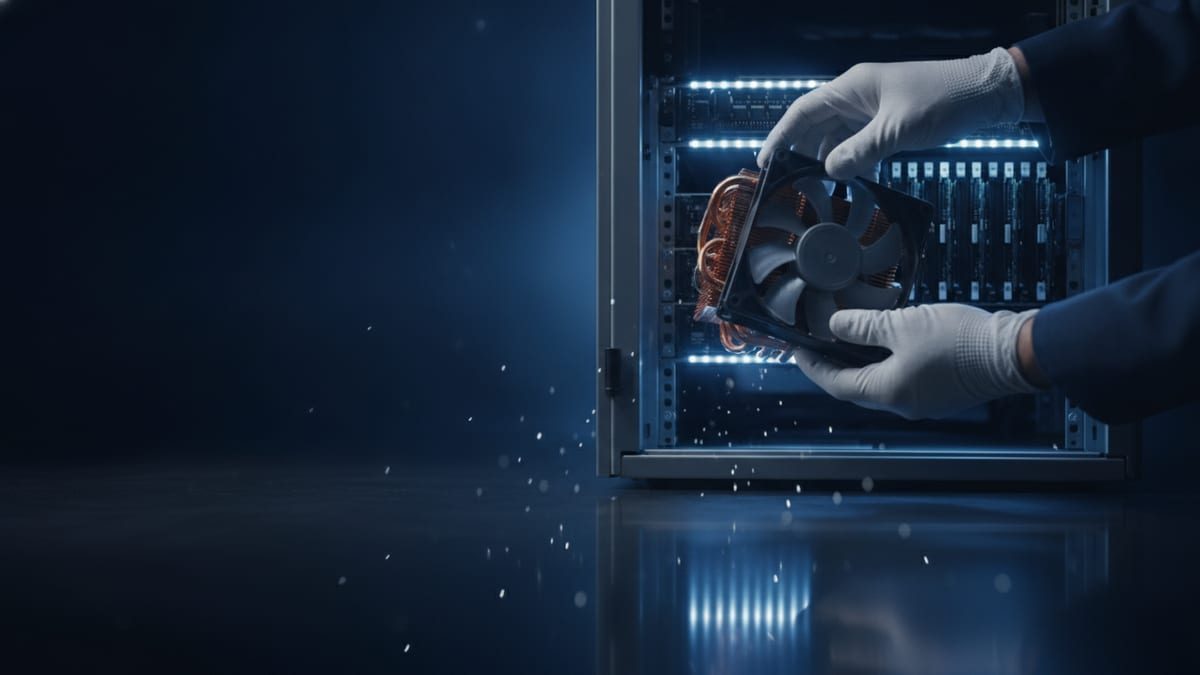
Cooling fans and power supplies represent the primary electromechanical failure points in rackmount servers. Fans run continuously under varying thermal demands, making them subject to bearing friction, balance degradation, and acoustic wear. Guide recommendations from Exeton emphasize airflow validation, temperature monitoring, and tachometer verification. As an actionable rule of thumb, flag any fan assembly exhibiting a sustained tachometer RPM deviation of ±10% to 15% from its commanded baseline at equivalent thermal load, or any fan drawing >85% PWM duty cycle in standard 21°C data centre ambient conditions, indicating impending bearing seizure.
A degraded fan rapidly elevates chassis temperatures. Modern server microprocessors protect themselves via aggressive thermal throttling, introducing hard-to-diagnose application latency spikes before safety circuits trigger emergency system shutdowns. Operating silicon 10°C above rated nominal thresholds significantly degrades component longevity, making rapid fan replacement essential.
Power supply units face continuous thermal and electrical stresses. Even in redundant N+1 configurations, operating an estate on degraded PSUs compromises system stability. When one unit degrades, load-sharing imbalances accelerate wear on the companion unit. Establish replacement triggers when telemetry reports 12V output rail voltage sag greater than ±5% (dropping below 11.4V), when internal exhaust thermistors run >15°C hotter than a matched peer under equal load, or when PMBus telemetry shows an efficiency loss resulting in a >10% load-share disparity. Swapping units at these thresholds prevents sudden bus collapses during peak computational draws.
- •Monitor fan tachometer telemetry quarterly to catch bearing friction before thermal throttling triggers.
- •Inspect chassis airflow channels monthly to remove dust accumulation that strains fan motors.
- •Audit power supply load-balancing logs to detect internal efficiency drops and thermal stress.
- •Set condition-based swap triggers using telemetry watermarks (RPM deviation, ECC rates, voltage droop), alongside calendar-based replacements for consumable RAID-cache batteries every 3 years.
The UK Economic Case: Power Costs and Refresh Economics
In the UK, preventive server maintenance is directly tied to commercial power management. According to DESNZ, the Q1 2026 average non-domestic electricity price stood at 24.14p/kWh (including the Climate Change Levy, excluding VAT). While this represents a 6.2% decrease year-on-year, UK commercial rates remain among Europe's highest, meaning inefficient, unmaintained hardware imposes severe operational penalties.
Power costs vary significantly by server workload and enterprise scale. At the 24.14p/kWh benchmark, a modern 1U/2U server drawing an illustrative 350W constant load incurs £740.13 annually in electricity alone (before cooling, UPS losses, or VAT). In practice, draw ranges from ~150W at idle (£317.20/yr) to 500W under heavy computational load (£1,057.33/yr). Furthermore, tariff benchmarks reflect varying reference windows: while DESNZ published 24.14p/kWh for Q1 2026, House of Commons Library 2024 data recorded historic variations spanning 32.0p/kWh for very small consumers to 21.7p/kWh for extra-large industrial sites. Across an estate of dozens or hundreds of nodes, hardware efficiency dictates fiscal performance.
Power waste scales rapidly when server maintenance is neglected. Dust-choked fan assemblies draw up to 30% more power while delivering reduced airflow, and degrading PSU capacitors introduce measurable conversion losses. At national scale, DESNZ figures show Great Britain's data centres consumed 4.5TWh of electricity in 2024—representing 2% of the nation's total grid demand of 249.2TWh. To quantify the refresh-versus-repair decision beyond raw electricity, infrastructure managers must evaluate downtime risk, support contracts, replacement parts, and migration labour alongside cooling and UPS overhead when deciding whether to refresh an ageing node.
Operational Replacement Calendar: Daily, Monthly, and Annual Cadence
Executing effective preventive maintenance requires balancing condition-based replacement with fixed-calendar routines. Condition-based triggers rely on real-time diagnostic telemetry: SMART alerts and NAND wear levels for drives, fan RPM deviations and temperature spikes for cooling modules, voltage stability for PSUs, and ECC error trends for memory. Fixed-calendar maintenance, by contrast, establishes scheduled intervals for cleaning, testing, patching, inspections, and time-based replacements.
Daily maintenance centers on automated telemetry: checking system management controllers for active alerts, monitoring hardware event logs, and verifying that automated backup routines completed without storage anomalies. Weekly tasks require storage administrators to review total storage consumption, inspect RAID volume consistency, and confirm that snapshot repositories maintain adequate operational headroom. Crucially, before executing any physical hardware maintenance or replacement, validating tested backups and verifying RAID health ensures the estate can withstand rebuild stress.
Monthly maintenance shifts to active system hygiene: physical inspections of chassis vents, validating unobstructed intake airflow, applying critical hypervisor and operating system security patches, and reviewing baseline environmental metrics. Quarterly tasks demand deep-dive reviews: checking BIOS and component firmware releases as recommended by Vision Training Systems, auditing power supply status, and evaluating system ECC error trends. Annual maintenance may include planned replacement of selected high-wear components, such as RAID-cache batteries or fans, where vendor guidance and condition monitoring justify it.
- •For critical systems, automate daily—or more frequent—checks of hardware alerts, storage health and backup completion according to the organisation’s recovery objectives.
- •Weekly: Storage utilization auditing, RAID volume status verification, and offsite replication checks.
- •Monthly: Physical chassis cleaning, intake filter inspection, and operating system patch deployment.
- •Quarterly: Comprehensive BIOS/firmware reviews, power redundancy failover tests, and ECC trend audits.
- •Annual: Scheduled replacement of RAID cache batteries, mechanical cooling fans showing RPM drift, and drives approaching SMART wear thresholds.
View the data behind this chart
| Cadence | Target Hardware | Required Action | |
|---|---|---|---|
| Telemetry check | Daily | Hardware alerts | Monitor SMART and ECC trends |
| Capacity review | Weekly | Storage arrays | Validate backups and capacity |
| Hygiene and updates | Monthly | Chassis and OS | Apply patches and inspect airflow |
| Subsystem audit | Quarterly | Firmware and PSUs | Audit BIOS and test power health |
| Pre-emptive swap | Annual | Wear-prone FRUs | Replace fans and RAID batteries |
Contractual Alignment and UK Hosting Realities
For UK infrastructure leaders, preventive maintenance approaches differ across on-premises, colocation, and managed hosting estates. In on-premises server rooms, the organisation owns the physical hardware, bears the direct cost of spare-parts inventory, and manages internal maintenance windows and manufacturer warranties (typically 3–5 years on drives, with chassis running 5–7 years). In colocation facilities, the customer still owns the equipment and spares, but must coordinate access procedures and maintenance windows around facility rules.
In managed dedicated hosting environments, component replacement models follow contract terms. For example, UK host DataCentrePlus operates dedicated server contracts where parts and labour are included, with failed components replaced at no additional cost to the customer. However, carrying out scheduled maintenance on hosted infrastructure requires strict adherence to notice periods.
DataCentrePlus’s terms provide five working days’ notice for scheduled maintenance (illustrating typical UK managed hosting agreements, though specific windows vary by contract). UK engineering teams must design proactive replacement workflows around these windows. When health diagnostics indicate an SSD is reaching high wear levels or a power supply reports telemetry warnings, scheduling the swap within the contractual five-day notice window avoids uncontrolled failures that force emergency triage.
Strategic Hardware Lifecycle: Refurbishment versus Replacement
Managing server fleets past year five does not automatically necessitate total rack replacements. When capital expenditure constraints prevent wholesale hardware transitions, IT departments can balance performance and reliability by pairing pre-emptive maintenance with cost-effective refurbished servers and vetted spare-part staging.
Because core server compute boards and processor packages exhibit exceptionally low failure rates relative to electromechanical components, refreshing wear-prone modules can sometimes extend a chassis’s useful service life beyond year five, subject to vendor support, workload, reliability requirements and total cost. Procuring identical, fully tested power supplies, system fans, and matched memory DIMMs allows engineering teams to execute internal overhauls at a fraction of new OEM acquisition costs.
Achieving this balance requires an unyielding component replacement protocol. Treat warranty expiry as an active trigger for condition monitoring. Investigate SMART alerts immediately, maintain tested backups, and replace drives showing sector reallocation. Swap cooling assemblies exhibiting RPM drift and replace RAID cache batteries every 36 months. By treating electromechanical components as consumable units, engineering teams maintain enterprise-grade reliability while extracting maximum value from compute capital.
Sources
Every figure in this article traces to the sources below.
- •Servnet UK — UK Server Running Costs and Electricity Prices Q1 2026
- •Serverman — Monthly Server Maintenance Guidance and Lifecycles
- •House of Commons Library — UK Electricity Prices Research Briefing
- •DESNZ — Great Britain Data Centre Electricity Demand Special Feature
- •DatacentrePlus — Dedicated Server Terms and Conditions
- •Vision Training Systems — How to Diagnose and Fix Hardware Problems in Enterprise Servers
- •Direct Macro — Server Maintenance Checklist
- •Exeton — Data Center Maintenance Guide
- •Techworks Consulting — Preventive IT Maintenance Checklist to Reduce Downtime
View the data behind this chart
| Layer | Detail |
|---|---|
| Years 1 to 3: Base OEM Warranty Window | Original OEM warranty covering chassis, motherboard, and baseline media |
| Years 3 to 5: Wear Horizon and Extended Support | Storage warranties expire; SMART alerts and fan friction increase |
| Years 5 to 7: Fleet Replacement Window | Servers reach typical lifecycle limit; preventive FRU swaps avoid downtime |