
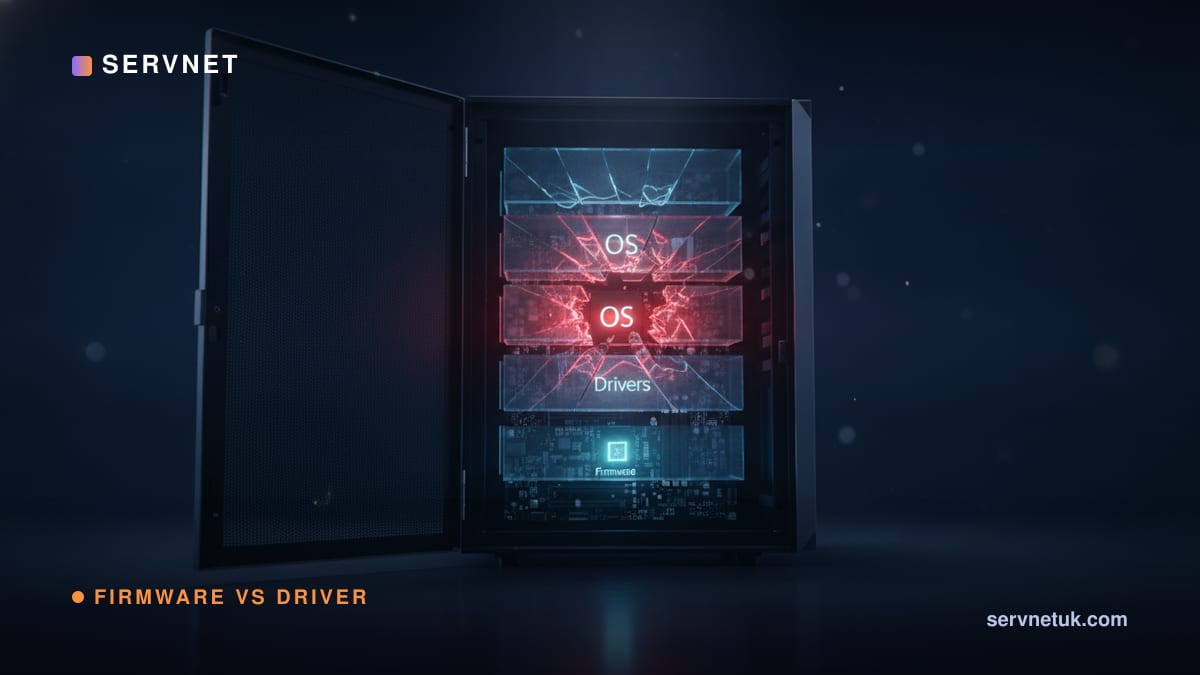
Firmware is embedded code operating below the operating system to initialise hardware, whereas a driver runs inside the operating system to translate commands between the OS and physical devices. That distinction creates a critical operational asymmetry: a failed driver update is typically recoverable through operating-system rollback or reinstallation, whereas a corrupted firmware flash can prevent hardware initialisation entirely. NCSC manufacturer guidance warns that if update authenticity cannot be proven, an attacker may send a fake or malicious update, corrupt an update so it will not install, or damage or brick the device. Under Cyber Essentials v3.3, qualifying vulnerability fixes for in-scope systems—including relevant firmware—must be applied within 14 days of release. This guide sets out where each layer sits, what breaks when each fails, and an evidence-led update policy for servers, drives, NICs and BMCs.
View the data behind this chart
| Layer | Detail |
|---|---|
| Hardware | Physical chip, drive, NIC or BMC module |
| Firmware / BIOS-UEFI | Embedded code below the OS; initialises hardware |
| Driver | OS-loaded module that talks to firmware layer |
| OS and applications | Consumes data via the driver, never touches firmware |
Firmware, Driver, BIOS: Three Layers, Three Different Risks
The cleanest way to separate these terms is by where they run, not what they're called. Firmware is software embedded in, or closely associated with, a hardware device; platform firmware such as BIOS/UEFI normally runs before the operating system and initialises hardware. Drivers run inside the operating system as modules loaded once the OS is running to communicate with that hardware. One industry source summarises the division directly: BIOS and firmware sit below the operating system, while drivers run inside it. Operational handling, patching discipline and recovery approaches follow from this structural distinction.
Vendor release notes frequently blur this boundary because both firmware and drivers are delivered as downloadable packages carrying version numbers and security fixes. However, flashing firmware and updating an OS driver represent distinct operations with different risk profiles. Treating them interchangeably leads either to over-patching stable, non-exposed components or under-patching critical network and management interfaces.
What Firmware Actually Is: The Hardware's Own Embedded Code
BIOS/UEFI is platform firmware that initialises motherboard hardware—including CPU, memory, storage controllers and boot devices—before handing execution to an OS bootloader. A BIOS/UEFI update writes one or more vendor-supplied firmware regions or components to non-volatile platform storage; the exact areas and safeguards depend on the motherboard or system design.
BIOS/UEFI is only one class of platform firmware. Storage devices (SSDs and HDDs), network interface cards (NICs), RAID/HBA controllers and server Baseboard Management Controllers (BMCs) each carry dedicated, independently flashable onboard firmware. A BMC runs a separate firmware stack that operates its own management plane for out-of-band power control, telemetry and remote console access—see BMC out-of-band management and server BMC firmware security.
Updating platform firmware carries a direct security justification: BIOS-level updates can remediate low-level UEFI vulnerabilities that persist across operating-system reinstalls, because rewriting host OS storage leaves the underlying non-volatile firmware chip untouched.
What a Driver Actually Is: The OS's Interpreter for Hardware
A driver is an operating-system component that translates high-level OS and application calls into device-specific commands, and translates incoming hardware signals back into OS data structures. It resides within the operating system environment and is managed through native OS mechanisms: package managers, vendor installers, Windows Update or kernel modules.
Because drivers operate within the OS layer, driver failures are more commonly recoverable through standard operating-system procedures, such as rolling back to a previous driver version, reinstalling the package, or booting via safe/recovery modes. However, driver faults can still prevent a clean OS boot, cause kernel crashes, or destabilise hardware operation until remediated.
A driver cannot resolve underlying bugs in hardware firmware, nor can firmware resolve faults in an OS driver. Establishing whether a defect originates in device firmware or the host driver layer is therefore a primary diagnostic step in hardware fault management.
The Interplay in Practice: Boot Sequences, Network Packets and Management
During boot, platform BIOS/UEFI executes first, testing and initialising critical hardware during the Power-On Self-Test (POST) before passing execution to the OS bootloader. The operating system then loads its driver tree for detected devices. If the platform firmware cannot successfully POST, the operating system never loads, meaning driver-level configurations cannot execute.
In network operations, NIC hardware and firmware implement device-specific functions such as link management and offload, while the OS driver configures the device and moves received data into the operating-system network stack. Physical-layer signaling and low-level link negotiation depend on the NIC hardware and firmware, while OS protocol handling depends on the driver.
A BMC has an independent firmware and management plane. A BMC can often remain reachable after an OS crash and, on supported platforms with standby power and network connectivity, while the server is powered off; availability depends on the server’s design and configuration. Because of this architectural isolation and external network exposure, BMC firmware updates represent a critical patching category separate from routine host OS maintenance.
Update Failure Modes and Recovery Realities
When updating platform firmware, interrupted writes caused by a power cut or a system freeze can leave a motherboard unable to POST, a state commonly termed bricking. A second common failure cause is applying an incorrect firmware file; desktop, laptop and server boards typically require an exact model-specific image, and flashing mismatched code can corrupt platform operation.
Some motherboards provide hardware-level recovery mechanisms—such as dual-BIOS chips or dedicated USB flashback modes that re-flash without completing POST—but availability and recovery behaviour after an interrupted write vary by manufacturer and model. Because these fallback safeguards are not universally present, platform firmware updates carry inherently higher operational risk than driver updates, where a failed installation rarely prevents bare-metal device initialisation.
The matrix below compares how BIOS, expansion-device firmware, BMC firmware and operating-system drivers differ across update methods, primary risks and recovery mitigations.
The UK Policy and Compliance Framework: Cyber Essentials, NCSC and PSTI
Cyber Essentials v3.3 requires qualifying vulnerability fixes for in-scope software and firmware within 14 days of release, but this 14-day deadline does not apply universally to all updates. Qualifying updates are strictly defined as those addressing vendor-classified critical or high vulnerabilities, vulnerabilities with a CVSS v3 score of 7 or above, or releases where vendor severity ratings are not provided; applying non-qualifying updates within 14 days is an NCSC best-practice recommendation rather than a mandatory compliance requirement. Separate 2026 Cyber Essentials Plus analysis notes that firmware on infrastructure devices such as routers, firewalls, managed switches, VPN appliances and wireless access points falls within assessment scope when security patches are released.
NCSC guidance recommends enabling automatic updates for all software where possible and separately advises organisations to establish processes to automate firmware updates where feasible, while applying suitable testing, approval and recovery controls to higher-risk devices. Under NCSC update-by-default policy, internal and air-gapped services should be installed on a test environment or backup first before production deployment.
At the regulatory level, the UK Product Security and Telecommunications Infrastructure (PSTI) Regulations came into force on 29 April 2024 across England, Wales, Scotland and Northern Ireland. The UK PSTI security regime covers relevant consumer connectable products and establishes statutory duties for consumer device security; it should not be treated as a general firmware-updating law for enterprise infrastructure.
Updating Enterprise Hardware Safely: Component Classes and Decision Discipline
Updating enterprise estates safely requires aligning updates to specific component classes, dependencies and operational risks rather than performing blanket revisions:
Motherboard BIOS/UEFI: Adopt an event-driven policy. Update when an advisory addresses a documented security vulnerability (especially UEFI flaws that persist across OS reinstalls), when installing new CPU or RAM hardware requiring microcode updates, or to resolve an active platform defect. Always verify file checksums and exact model matching before flashing.
Baseboard Management Controllers (BMCs): Prioritise vendor releases that patch remote management vulnerabilities, access-control bypasses or remote execution risks. Maintain separate management VLANs and schedule BMC maintenance deliberately, verifying reachability after flashing.
Storage Drives (SSDs/HDDs) and RAID/HBA Controllers: Prioritise firmware updates that fix data corruption, drive-drop or controller freeze defects. Because controller and drive firmware directly govern data persistence, validate firmware builds on backup or non-production storage arrays prior to full rollout.
Network Interface Cards (NICs): Coordinate NIC firmware updates with OS driver versions to prevent driver-firmware mismatch. NIC hardware, firmware and the PHY collectively implement low-level functions such as link management and offload, while the driver configures the device and connects it to the OS networking stack.
A practical pre-update decision checklist should include: 1) Asset inventory (confirm exact hardware revision and current firmware build); 2) Vendor advisory review (confirm whether the release addresses an active CVE, critical bug or required hardware support); 3) Cryptographic package verification (confirm signed, authenticated vendor packages to protect against malicious or corrupt binaries); 4) Data backup and test environment (test internal updates on backup or non-production canary hardware per NCSC recommendations); 5) Scheduled maintenance windows (avoid ad hoc flashing); 6) Rollback and recovery verification (confirm availability of dual-BIOS, flashback or recovery media); and 7) Post-update verification (validate POST completion, device link states, hardware logs and management plane responsiveness).
For diagnostic triage: if a machine fails to POST, check power, cabling, recently changed hardware, diagnostic indicators and vendor recovery guidance before considering a BIOS/firmware fault or update. If problems appear only after the OS loads, investigate drivers alongside the OS, applications, firmware, configuration and hardware, using logs and controlled rollback tests. When procuring new platforms, verify vendor update authenticity practices, supported lifecycles and out-of-band recovery features, consulting third-party maintenance options and budgeting planned maintenance through a hardware maintenance quote builder.
Sources
Every figure in this article traces to the sources below.
- •NCSC — automatic updates guidance for managed devices
- •NCSC — secure update provision and brick/attack risk
- •NCSC — Cyber Essentials IT Infrastructure Requirements v3.3
- •NCSC — update-by-default policy and test-first guidance
- •Tech Insider — BIOS update as full firmware rewrite and brick risk
- •Syncro — dual-BIOS/flashback recovery not universal
- •Big Iron — event-driven BIOS update discipline and UEFI risk
- •Server Configurator — PSTI Regulations commencement
- •Expert Zoom — Cyber Essentials Plus 2026 firmware patch scope
- •Cloudswitched — Cyber Essentials Plus 2026 network firmware requirements
View the data behind this chart
| Update method | Common risk | Mitigation | |
|---|---|---|---|
| BIOS / UEFI | Vendor tool flashes entire chip | Interrupted flash blocks POST | Dual-BIOS/flashback, correct file |
| Drive / NIC firmware | Vendor flash utility per model | Bug can affect data integrity | Canary test before fleet rollout |
| BMC firmware | Flashed via BMC web UI/Redfish | Unpatched flaw exposes host | Patch security fixes only |
| OS driver | OS package manager install | BSOD/instability, rarely data loss | Roll back or reinstall driver |