
Virtual desktop infrastructure (VDI) hosts desktop environments as centrally managed virtual machines on host servers, created from OS-and-application images and delivered across a network on demand rather than running workloads directly on local user endpoints. In 2026, enterprise end‑user computing teams increasingly frame VDI as one of three options—isolated virtual machines, shared session hosts, and cloud desktops—compared across control, density, and cost, rather than treating VDI in isolation. Evaluating commercial options requires looking past software marketing to inspect the underlying delivery pipeline: a hypervisor, connection broker, golden image, and a distinct user profile layer. For UK buyers navigating public sector and commercial procurements, public listings show vast variance between pure hosting at £9.26 per virtual machine per month and specialised enterprise IT solutions or deployment advisory services spanning £450 to £2,240 per day.
View the data behind this chart
| Layer | Detail |
|---|---|
| Profile Management Layer | Decouples user state via VHDX network containers |
| Golden Image Layer | Master VM template containing OS, apps, and agents |
| Connection Broker Layer | Authenticates, routes sessions, and tracks state |
| Hypervisor Virtualisation Layer | Partitions physical CPU, memory, and storage |
How VDI Works: The Four Core Architecture Layers
At its foundational level, VDI provisions isolated virtual machines on centralised hypervisors and routes interactive display sessions out to endpoint devices. Rather than installing an operating system, enterprise productivity suites, and internal line-of-business applications directly onto physical endpoint storage, each desktop environment runs inside a datacentre or private cloud rack. When a user authenticates, the system links the endpoint display, mouse, and keyboard inputs to the centrally executing virtual machine.
A functioning VDI environment is commonly described across four core technical tiers—the hypervisor, connection broker, golden image, and profile management layer—even though production deployments also depend on shared storage, access gateways, and networking. The hypervisor forms the hardware virtualisation base, partitioning physical CPU, memory, network interfaces, and storage into discrete virtual machines. Above the hypervisor, the connection broker operates as the traffic director. The broker authenticates user identity, queries the directory service, determines entitlement policies, locates an available virtual machine, and routes the network connection. If a client drops their connection due to network disruption, the connection broker tracks the user’s session and reconnects them to the still-running desktop VM on the host so they resume work without losing in-VM state.
The application and OS layer relies on a golden image—a single, sanitised master virtual machine configured with the operating system, approved enterprise applications, and security agents. Administrators update this golden image centrally, running patches or software updates once and propagating the master snapshot across hundreds of clones. To prevent user personalisations from being wiped in non-persistent desktop pools, a profile management layer decouples individual user data, browser caches, and registry settings from the base virtual disk.
- •Hypervisor: Partitions physical host compute, memory, and IOPS into individual guest VMs.
- •Connection broker: Authenticates users, discovers available desktops, establishes display sessions, and maintains reconnection state.
- •Golden image: Provides a single master template of the operating system, corporate applications, and security agents.
- •Profile management: Decouples user settings and data from the operating system to maintain personal state across shared pools.
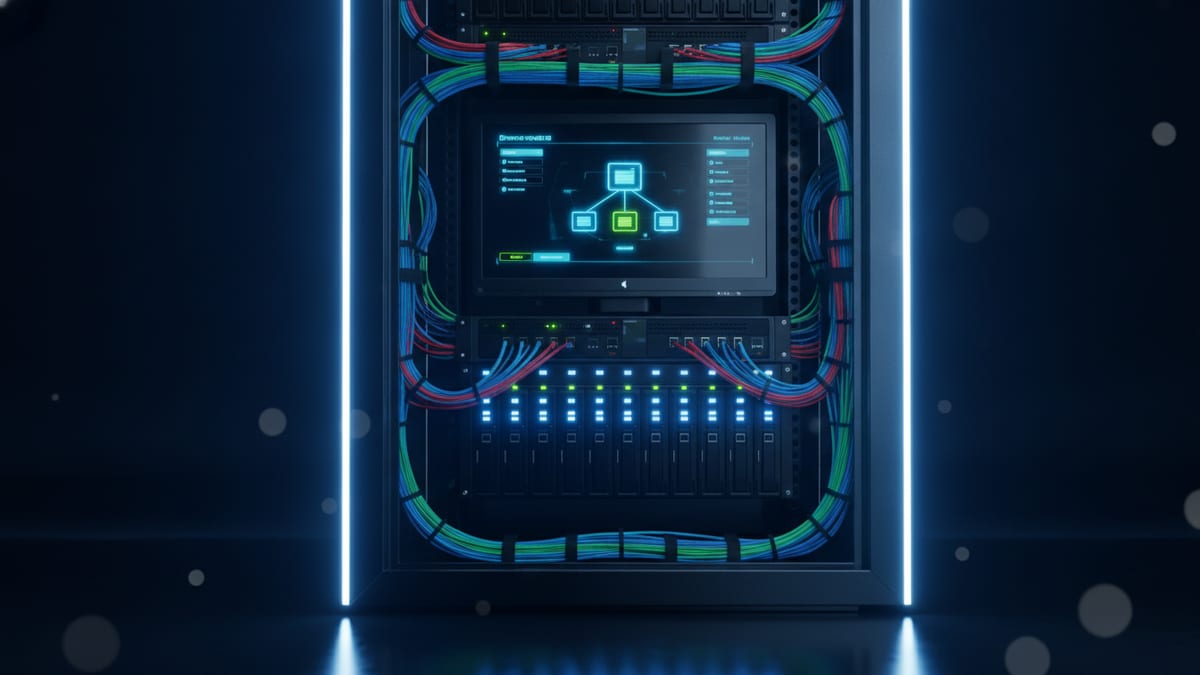
Persistent vs Non-Persistent Pools and Profile Management
In modern VDI environments, administrators structure desktop capacity into persistent or non-persistent pools depending on workflow requirements and storage overhead. In a persistent pool, each user is mapped permanently to a specific virtual machine that retains all local changes, personal software installations, and state across reboots. While persistent pools provide an experience identical to a dedicated physical workstation, they generate image sprawl, complicate security patching, and eliminate the operational efficiencies gained from managing a single master image.
Non‑persistent pools are a widely used architecture for scalable enterprise environments, although many organisations still mix persistent and non‑persistent desktops for different user groups. In a non-persistent pool, virtual machines are stateless disposable resources. When a user logs off, the virtual machine can be discarded or rolled back to the pristine snapshot state of the golden image. This reset eliminates malware persistence, clears temporary cache buildup, and ensures that OS patches applied to the golden image take immediate effect across the fleet.
To make non-persistent pools usable for daily office work, IT teams rely on profile management solutions such as FSLogix-style profile containers. These technologies typically encapsulate the user profile into an individual virtual disk file (commonly a VHDX) stored on centralized enterprise storage. When a user authenticates, the hypervisor and connection broker attach this network-based VHDX container directly to the guest operating system at login. The Windows client OS mounts the container as if it were local physical disk storage, enabling fast logons and persistent user settings without tethering the user to a dedicated virtual machine.
VDI vs Remote Desktop Services (RDS): Key Architectural Differences
Organisations frequently conflate VDI with Remote Desktop Services (RDS or RDSH), but their underlying isolation models and resource allocations differ fundamentally. In an RDS deployment, multiple users connect simultaneously into a single shared instance of Windows Server. Users share the underlying server operating system kernel, CPU execution cycles, memory space, and network interface cards. Because resources are shared concurrently, high consumption by one user running an intensive task can degrade session performance for other users on that host.
VDI enforces strict separation by assigning each user their own client virtual machine for the duration of a session or via a dedicated persistent desktop, rather than sharing a single OS instance. Administrators can configure rigid per-user CPU, RAM, and storage allocations. This architecture prevents a single compromised or runaway user session from impacting neighbours, delivering the isolation required for sensitive workloads, multitenancy, or stringent regulatory boundaries.
Application compatibility is another decisive architectural differentiator. RDS requires software to run within a multi-session Windows Server environment, which can cause execution or licensing issues for some desktop applications and legacy client tools. Because VDI runs native client operating systems within each VM, it generally offers much broader compatibility for software engineered for single-user desktop environments.
Commercial Reality: UK G-Cloud Pricing and TCO Breakdown
Evaluating the true cost of VDI in the UK requires separating infrastructure components from implementation and ongoing managed services. Public sector frameworks such as the UK Government Digital Marketplace illustrate how pricing differs depending on the charging unit and scope of service. Infrastructure-only components sit at the lowest price tier; for instance, UK G-Cloud Azure cloud hosting listings show base virtual machine hosting available from £9.26 per virtual machine per month.
However, raw virtual machine hosting represents only a fraction of total cost of ownership. One example complete virtual desktop service listed on the UK G-Cloud catalogue is priced between £55 and £98 per unit per month, where a 'unit' denotes an individual managed user seat or concurrent desktop. Crucially, the £9.26 baseline VM and £55–£98 service tiers are not directly comparable in specification: the £9.26 figure represents entry-level bare compute (typically 1 vCPU and 2GB RAM without desktop OS licensing or support), whereas the £55–£98 managed seat bundles multi-vCPU allocations, Windows client licensing, broker management, connection gateways, and profile storage layers required to deliver an enterprise desktop experience.
Professional engineering and deployment fees add further project and ongoing service expense. UK G-Cloud listings show Nutanix VDI deployment services in the £450 to £750 per unit per day band, CGI VDI advisory services between £510 and £1,300 per unit per day, and Accenture Virtual Desktop Management Services from £95 to £2,240 per unit per day as illustrative examples of current pricing. Buyers budgeting a VDI initiative must account for these distinct cost layers rather than assuming a single software subscription covers design, rollout, and infrastructure.
Management Objects: Golden Images, Snapshots, and Licensing
Operating an enterprise VDI deployment day to day involves managing specific control objects across the hypervisor and desktop management stack. Infrastructure vendors commonly highlight golden images, hypervisor snapshots, connection servers, and license servers as key operational entities that administrators supervise, alongside profile containers and storage objects. Keeping these objects aligned is essential to prevent operational drift and delivery failures.
Managing golden images requires disciplined version control. Whenever an operating system security roll-up, productivity patch, or enterprise agent requires updating, administrators boot the master template VM, apply changes, and generate a new snapshot. Connection servers leverage this snapshot to orchestrate rolling recomposition or instant clone provisioning across the pool. If an update introduces software incompatibility, connection servers can instantly revert pool provisioning to the prior snapshot, minimizing downtime.
License servers govern client access licences (CALs) and virtual desktop access (VDA) rights, while hypervisor licensing seats are tracked through the relevant virtualisation platform’s own licensing mechanisms. Because VDI allocates a full operating system instance per user session, licensing compliance must be monitored dynamically to avoid connection denials when concurrency peaks. Organisations reassessing their infrastructure footprint often weigh VMware alternatives or review specialised storage solutions for virtualisation and private cloud to balance hypervisor licensing against storage performance.
View the data behind this chart
| Nutanix Deploy | CGI Advisory | Accenture Mgmt | |
|---|---|---|---|
| Min Day Rate (£) | £450 | £510 | £95 |
| Max Day Rate (£) | £750 | £1300 | £2240 |
When to Choose VDI vs RDSH or Cloud Desktops
VDI is not a universal solution for every remote access challenge. The decision between dedicated VDI, session-based RDSH, and cloud-hosted desktops hinges on requirements for control, density, and isolation. Industry guidance from virtualization vendors such as Omnissa recommends VDI when an organization requires granular control over compute performance, bespoke master images, sensitive corporate data locality, and deep application compatibility.
Conversely, RDSH is widely recommended when the primary commercial objective is achieving maximum user density at the lowest cost per seat. Structured workflows, such as call centre operations, data entry, and task-worker environments running standard web portals or lightweight productivity apps, do not require individual operating system instances. RDSH packs more active sessions onto shared server hardware, lowering licensing and management overhead.
VDI should be avoided when organizations lack the internal infrastructure expertise to manage storage IOPS, connection brokering, and profile synchronization. If an enterprise requires simple remote access to standard office software without strict desktop isolation, the operational overhead of running dedicated golden images, brokers, and network storage shares will exceed the operational benefits.
Failure Points: Why Virtual Desktop Deployments Stall
VDI deployments are more often derailed by architectural oversights in the surrounding infrastructure than by hypervisor defects, with issues such as storage bottlenecks, profile problems, image sprawl and network constraints frequently called out in practitioner guidance. The most frequent operational breakdown stems from storage input/output bottlenecks during boot storms and logon storms. When hundreds of users log on simultaneously at the start of a business day, the storage layer must service intensive read requests from master OS disks alongside concurrent write requests from profile containers. Undersized network storage arrays collapse under this I/O load, resulting in stalled logons and frozen desktop sessions.
A second common point of failure is image sprawl. While VDI promises centralized desktop governance, organizational units frequently demand custom modifications. Without strict change control, IT teams begin maintaining dozens of separate golden images for different departments. This eliminates the operational simplicity of a unified master template, multiplying administrative workloads and patch verification cycles.
Finally, network latency and undersized transport links severely degrade user experience. Because VDI relies on continuous display protocol communication between the host server and endpoint, packet loss and jitter cause visible input latency, audio desynchronization, and display tearing. Projects scoped primarily as hardware consolidation exercises—without proper planning for network throughput, latency mitigation, and profile management—commonly encounter user resistance and operational friction.
Sources
Every figure in this article traces to the sources below.
- •GO-Global — VDI vs RDS resource allocation and operating models
- •WEC Docs — VDI architectural layers, connection broker and profile containers
- •Omnissa — Evaluating VDI, DaaS, and RDSH management objects
- •Nerdio — Desktop virtualisation models and server vs client OS compatibility
- •UK Government Digital Marketplace — G-Cloud listings for VDI, advisory, and cloud hosting