UK’s trusted IT infrastructure partner since 2003
Servnet
FinanceToolsConfiguratorGet in Touch
← Comparison Tool

💻 Dell 14 Premium vs X1 Carbon

AI-powered analysis across 51 matched specifications

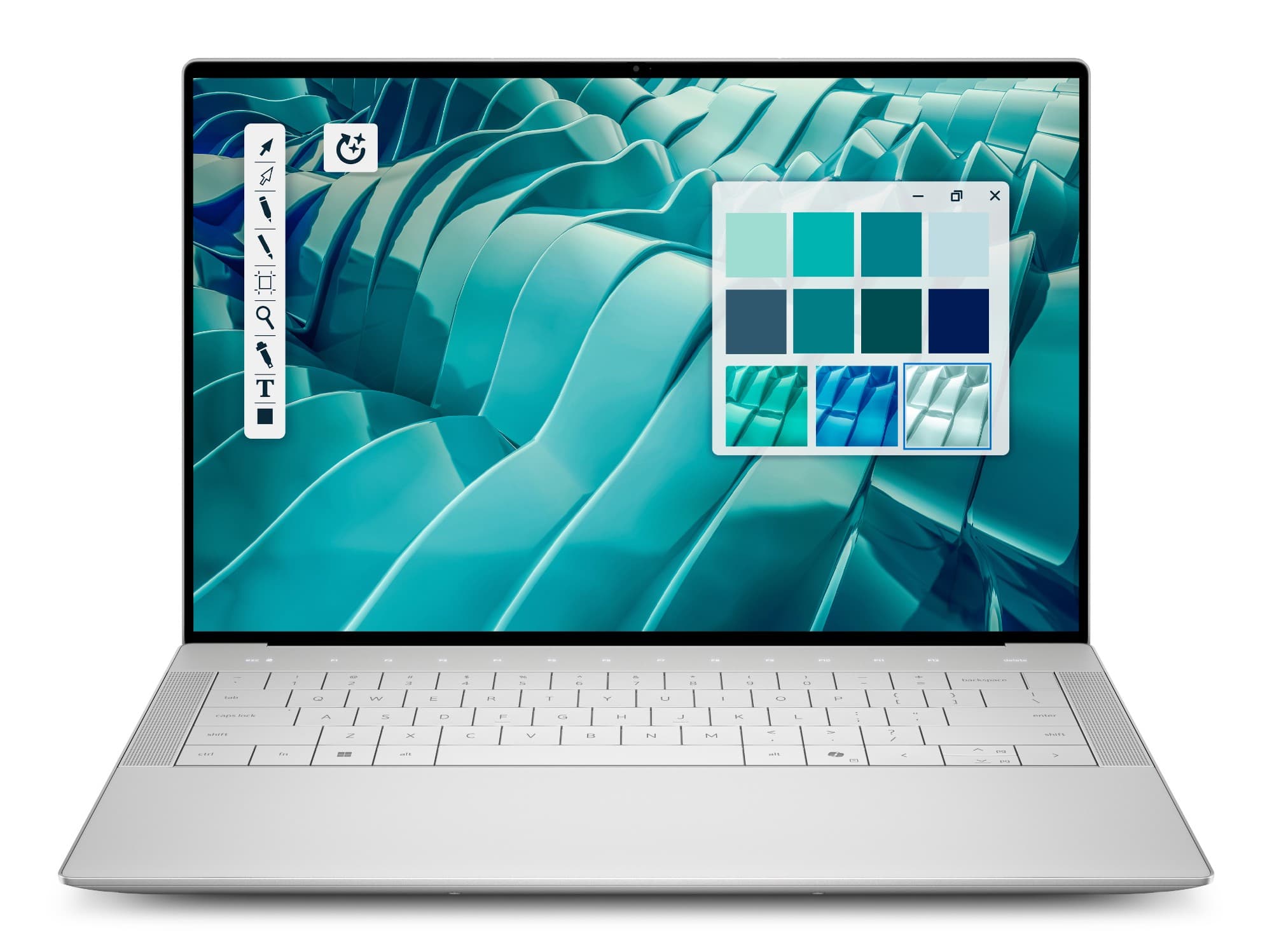
Dell 14 Premium (DA14250) in Platinum — front view with 14.5-inch 2K InfinityEdge display and edge-to-edge zero-lattice keyboard
Dell 14 Premium
Dell
7.9
Overall Score
Creators and power users who need discrete RTX 4050 graphics and an H-class CPU in a premium 14-inch chassis
View Full Details
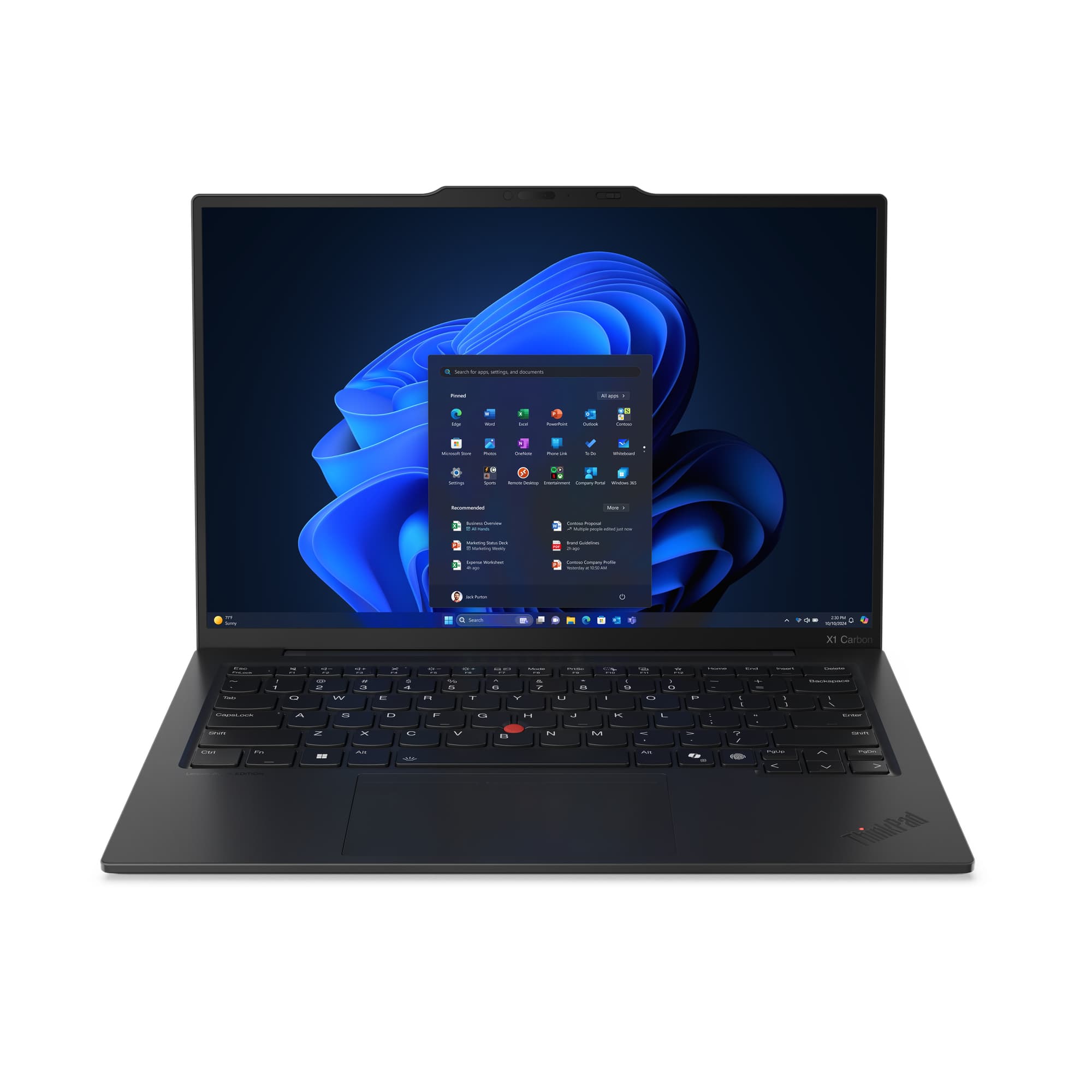
Lenovo ThinkPad X1 Carbon Gen 13 14-inch business ultraportable in black carbon-fibre — front view, open
ThinkPad X1 Carbon Gen 13
Lenovo
8.5
Overall Score
Mobile executives and managed fleets wanting the lightest, most secure, Copilot+-ready 14-inch business ultraportable
View Full Details

Performance Overview

Scores based on quantifiable specification values (1-10 scale)

Performance & graphicsDisplayPortability & batteryConnectivity & portsSecurity & manageability
Dell 14 Premium
ThinkPad X1 Carbon Gen 13
Performance & graphics
Dell 14 Premium
9.0
ThinkPad X1 Carbon Gen 13
7.0
Display
Dell 14 Premium
8.6
ThinkPad X1 Carbon Gen 13
8.4
Portability & battery
Dell 14 Premium
7.3
ThinkPad X1 Carbon Gen 13
9.2
Connectivity & ports
Dell 14 Premium
7.5
ThinkPad X1 Carbon Gen 13
8.8
Security & manageability
Dell 14 Premium
7.0
ThinkPad X1 Carbon Gen 13
9.0

Detailed Specifications

Specification
Dell 14 Premium
Dell
ThinkPad X1 Carbon Gen 13
Lenovo
At a Glance
PositioningConsumer-premium flagship — XPS 14 successorBusiness flagship ultraportable (Aura Edition)
Model codeDA14250 (regulatory P184G)21NS / 21NX series
Screen14.5" 16:1014.0" 16:10
Stocked processorIntel Core Ultra 7 255HIntel Core Ultra 7 258V or 255U
Discrete GPUNVIDIA GeForce RTX 4050 (6 GB)None — integrated graphics only
Starting weight1.63 kg (2K build)0.986 kg (Lunar Lake)
Operating system (stocked)Windows 11 ProWindows 11 Pro
Processor, graphics & memory
ProcessorCore Ultra 7 255H — 16C/16T (6P+8E+2LPE), up to 5.1 GHz, 28 W base / 115 W max turboCore Ultra 7 258V (Lunar Lake, 8-core) or 255U (Arrow Lake, 12C/14T)
NPU (on-device AI)Up to 13 TOPS (Intel AI Boost)Up to 47 TOPS on 258V / up to 12 TOPS on 255U
Copilot+ certifiedNo — 13-TOPS NPU is below the 40-TOPS barYes on 258V (47 TOPS); no on 255U
Discrete graphicsNVIDIA GeForce RTX 4050 Laptop GPU, 6 GB GDDR6, 30 W TGPNone
Integrated graphicsIntel Arc 140TIntel Arc Graphics 140V (258V) / Intel Graphics (255U)
Memory (stocked)32 GB LPDDR5x-8400, soldered16 / 32 GB LPDDR5x-8533 (258V), soldered
Maximum memory64 GB platform max (soldered — order-time only)64 GB on 255U (Arrow Lake); 32 GB on 258V
Memory upgradeableNo — solderedNo — soldered
Storage1 TB M.2 2230 PCIe Gen4 ×4 NVMe (single slot; 2230/2280, up to 4 TB SED-ready to order)Up to 2 TB M.2 2280 NVMe, Opal 2.0; PCIe 5.0 ×4 (V/H) or 4.0 ×4 (U)
Display
Base panel14.5" 2K 1920×1200 IPS, 500 nits, 100% sRGB, anti-glare14.0" WUXGA 1920×1200 IPS, 500 nits, 100% sRGB, anti-glare
OLED option3.2K 3200×2000 OLED touch, 400 nits, 100% DCI-P3, DisplayHDR 5002.8K 2880×1800 OLED touch, 120 Hz, 100% DCI-P3, DisplayHDR True Black 500
Peak refresh rate120 Hz (30–120 Hz VRR)120 Hz (2.8K OLED)
Dolby Vision HDRYes (both panels)Yes (OLED)
TouchOLED build onlyOLED build; WUXGA touch also available
Privacy screen optionNot availableThinkPad Privacy Guard to order
Low blue lightEyesafe + TÜV RheinlandEyesafe 2.0
Connectivity & I/O
Thunderbolt / USB-C3× Thunderbolt 4 (USB4 40 Gbps, DP 2.1, Power Delivery)2× Thunderbolt 4 (USB4 40 Gbps, DP 2.1, PD 15–65 W)
USB-ANone2× USB-A 5 Gbps (one Always On)
HDMINoneHDMI 2.1 (up to 4K/60 Hz)
Card readermicroSDXC v7.1 (UHS-I/UHS-II)None
Headphone jackUniversal headset jack3.5 mm combo jack
Max external displaysUp to 3 (two 4K or one 8K)Up to 4 (Arrow Lake) / 3 (Lunar Lake); 8K/60 over TB
Wi-Fi & BluetoothWi-Fi 7 (Intel Killer BE201) + Bluetooth 5.4Wi-Fi 7 BE201 + BT 5.4 (Wi-Fi 6E on some Arrow Lake)
Mobile broadband (WWAN)Not availableOptional 5G Sub-6 / 4G LTE with eSIM
Build, battery & durability
Chassis materialCNC-machined aluminium, Gorilla Glass 3 palm restCarbon-fibre lid over magnesium / aluminium base
ColourPlatinum or GraphiteBlack
Dimensions (W × D)320 × 216 mm312.8 × 214.75 mm
Thickness6.70 mm front → 18.02 mm rear16.95–17.95 mm
Starting weight1.63 kg (2K) – 1.83 kg (OLED)0.986 kg (Lunar Lake) / 1.006 kg (Arrow Lake)
Battery capacity70 Wh57 Wh
Rated battery life--Up to ~17 hr (MobileMark 25, WUXGA)
Fast chargeExpressCharge 0–80% in 1 h; Boost 0–35% in 20 minRapid Charge to 80% in 1 h
Supplied charger100 W USB-C65 W USB-C
Ruggedisation testing--MIL-STD-810H passed
Security & management
TPMTPM 2.0, FIPS 140-2Discrete TPM 2.0, FIPS 140-3 (TCG)
Fingerprint readerIn power button (capacitive, 500 dpi)Match-on-chip, in a keyboard key
IR face sign-inYes (Windows Hello)Yes (Windows Hello)
Camera privacy shutterNo (camera status LED only)Yes
Human presence detectionYes (Express Sign-In)Optional (Computer Vision / ultrasonic)
Lock slotNoneKensington Nano Security Slot
BIOS protectionDell SafeBIOS / SafeIDSelf-healing BIOS (ThinkShield)
Intel vPro--Available to order
Standard warranty1-year Dell Care Plus1-year base (3-year & Premier Support to order)
SustainabilityENERGY STAR 9.0, EPEAT Gold (Climate+)ENERGY STAR 9.0, EPEAT Gold, TCO gen 10; recycled carbon fibre

Expert Analysis

Specs web-verified from manufacturer datasheets · Servnet-reviewed · Last reviewed 12 Jul 2026

These are two very different answers to the same brief — a premium 14-inch Windows flagship. The Dell 14 Premium is the XPS 14 as it exists after Dell's 2025 rebrand: a consumer-premium machine that reaches further on raw capability. Its stocked build pairs an H-class 16-core Core Ultra 7 255H with a discrete NVIDIA RTX 4050, runs its LPDDR5x at 8400 MT/s, drives a bright 500-nit 2K panel (or a 3.2K OLED), and carries the larger 70 Wh battery with faster ExpressCharge. If the work is GPU-bound — creative edit suites, CAD viewports, local model experiments — it is the stronger tool of the two.

The ThinkPad X1 Carbon Gen 13 is built for a different priority: it is a managed business flagship first. At 986 g with a rated ~17-hour battery, MIL-STD-810H testing, HDMI and twin USB-A ports, optional 5G with eSIM, and a full ThinkShield stack — discrete FIPS 140-3 TPM, camera privacy shutter, Kensington lock slot, self-healing BIOS and vPro to order — it is the machine that slots cleanly into a corporate image, a dock estate and a security policy. The Copilot+ 258V option also clears the 40-TOPS NPU bar the Dell's 255H cannot.

For most UK organisations the X1 Carbon is the safer standardisation choice: lighter, longer-lasting, better-connected and enterprise-secured, with Premier Support and multi-year cover available. Reserve the Dell 14 Premium for the individuals who genuinely need discrete RTX graphics and H-class headroom in a premium chassis, and budget for a Thunderbolt dock and adapters to cover its ports-light design and one-year consumer warranty.

Dell 14 Premium
Creators and power users who need discrete RTX 4050 graphics and an H-class CPU in a premium 14-inch chassis
ThinkPad X1 Carbon Gen 13
Mobile executives and managed fleets wanting the lightest, most secure, Copilot+-ready 14-inch business ultraportable

Frequently asked questions

Which is the better choice for a managed UK business fleet?

The ThinkPad X1 Carbon Gen 13 is the stronger fit. It carries a discrete FIPS 140-3 TPM, a camera privacy shutter, a Kensington Nano lock slot, a self-healing BIOS and vPro options, plus HDMI and USB-A for meeting rooms and older peripherals. The Dell 14 Premium is a consumer-premium machine — Thunderbolt-only I/O, no lock slot or shutter, and a one-year standard warranty rather than multi-year business cover.

Does either laptop qualify as a Copilot+ PC?

Only the ThinkPad, in its Core Ultra 7 258V (Lunar Lake) build, whose 47-TOPS NPU clears Microsoft's 40-TOPS Copilot+ bar for on-device features such as Recall and Click to Do. The Dell 14 Premium's Core Ultra 7 255H is an H-class chip with a 13-TOPS NPU — a capable AI PC, but below the Copilot+ threshold. Choose the 258V configuration if Copilot+ is a requirement.

Can these handle serious creative or GPU workloads?

The Dell can. Its stocked build pairs the 16-core Core Ultra 7 255H with an NVIDIA GeForce RTX 4050 (6 GB GDDR6, 30 W) and 8400 MT/s memory, bringing CUDA acceleration to edit suites, 3D viewports and GPU compute. The X1 Carbon is integrated-graphics only — Intel Arc 140V or Intel Graphics — so it favours efficiency and portability over sustained discrete-GPU performance.

How do portability and battery life compare?

They target different priorities. The X1 Carbon starts at 986 g with a 57 Wh battery rated up to around 17 hours (MobileMark 25) and MIL-STD-810H testing — built to travel light. The Dell is heavier at 1.63 kg but fits a larger 70 Wh battery with faster ExpressCharge (0–80% in an hour). Dell publishes no runtime figure, so treat its battery life as unquoted.

Specs verified from

Ready to proceed?

Not sure which one fits your environment?

Our UK specialists will recommend the right option for your workload and send itemised pricing — vendor-neutral, no obligation.

Response within 4 business hours · 20+ yr UK reseller

Dell 14 Premium
View Full Details →
ThinkPad X1 Carbon Gen 13
View Full Details →

Want to compare different products or add more to this comparison?

Open Interactive Comparison Tool →
💷 Spread the cost · IT finance

Made your choice? Spread the cost.

Whichever you choose, you don't have to pay for it all upfront — finance your new hardware from £47/mo ex VAT on hire purchase or lease. Compare monthly payments and terms in seconds.

See finance from £47/mo

Indicative estimate · subject to change · soft search, no credit-file impact · hire purchase, lease & subscription for UK businesses

From
£47/mo
over 36 months · ex VAT · indicative estimate, subject to change

Talk to a UK specialist

Get expert advice or a no-obligation quote — servers, storage, networking, maintenance, finance and cloud. We reply the same working day.

or call 0800 987 4111