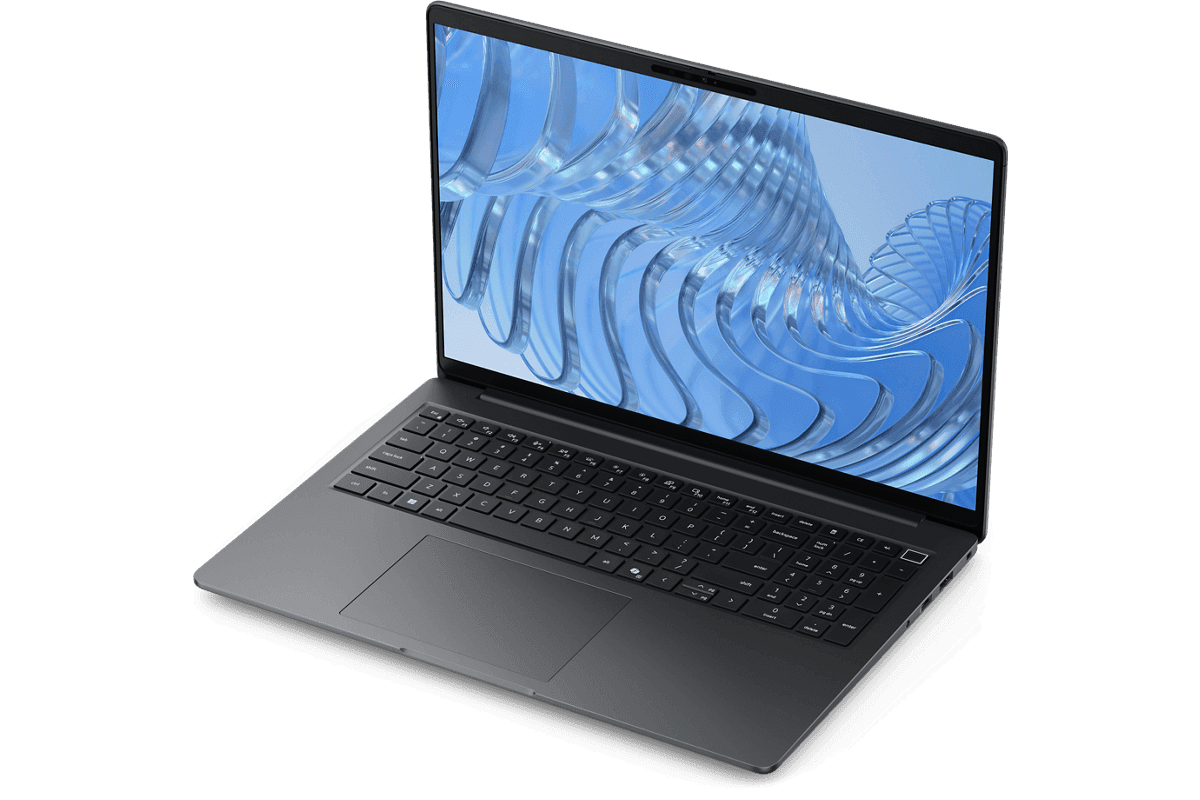
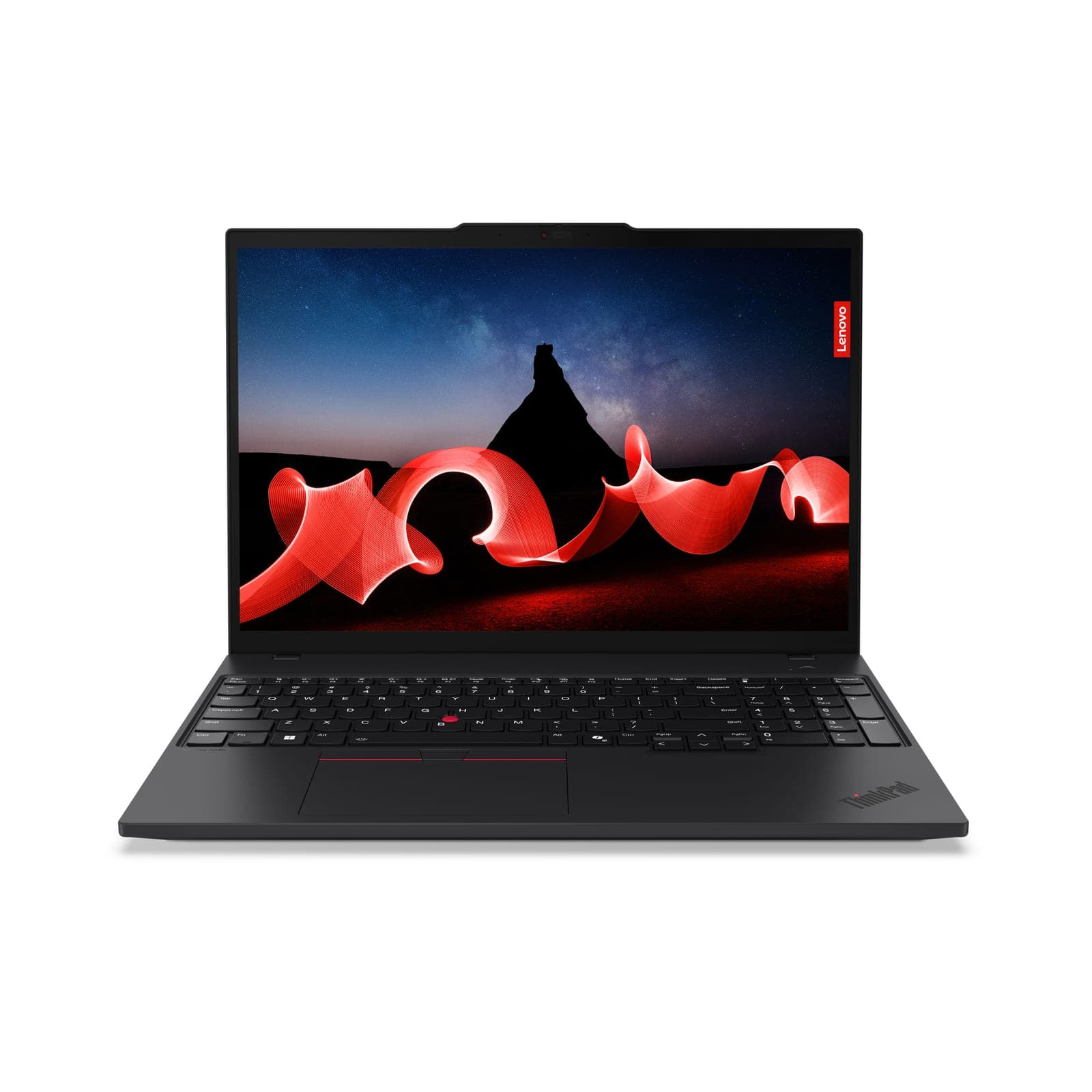
💻 Dell Pro 5 16 vs Lenovo ThinkPad T16 Gen 3 Comparison
AI-powered analysis across 23 matched specifications


Performance Overview
Scores based on quantifiable specification values (1-10 scale)
Detailed Specifications
| Specification | Dell Pro 5 Series 16 Dell | ThinkPad T16 Gen 3 Lenovo |
|---|---|---|
| Performance | ||
| Processor | Intel Core Ultra Series 2 (vPro optional, Copilot+ variant optional) | Intel Core Ultra 5 125U (12-core/14-thread, to 4.3 GHz) or 125H (14-core/18-thread, to 4.5 GHz); U/H Core Ultra 5/7 to order · Intel AI Boost NPU up to 11 TOPS |
| CPU cores | -- | Core Ultra 5 125U (12-core/14-thread) or 125H (14-core/18-thread) |
| Graphics | Intel Arc Graphics integrated | Intel Graphics (U-series) · Intel Arc Graphics on H-series with 16 GB dual-channel memory |
| Discrete GPU | Integrated Intel Arc graphics | Integrated only |
| Memory & storage | ||
| Maximum memory | Up to 64 GB DDR5-5600 SO-DIMM (2 slots) | 16 GB DDR5-5600 (stocked) — two SO-DIMM slots, dual-channel, upgradeable to 64 GB |
| Memory type | DDR5-5600 SO-DIMM (2 slots) | DDR5-5600 SO-DIMM (2 slots), dual-channel |
| Maximum storage | 2× M.2 PCIe Gen4 NVMe SSD bays (up to 4 TB total) | M.2 2280 PCIe 4.0 x4 NVMe — 256 GB / 512 GB; to 2 TB, Opal 2.0 self-encrypting options |
| Display | ||
| Display size | 16.0" | 16.0″ |
| Resolution | 1920 × 1200 | 1920×1200 (WUXGA); 3840×2400 OLED option |
| Brightness | 250-400 nits options | ✓300/400-nit low-power, 500-nit touch, WQUXGA OLED options |
| Panel | 16.0" FHD+ (1920 × 1200) anti-glare, 250-400 nits options, 16:10 | WUXGA IPS anti-glare, 16:10; 500-nit touch and WQUXGA OLED options |
| Touchscreen | -- | 500-nit touch option (stocked 21MN00E7UK is touch) |
| Connectivity | ||
| Thunderbolt / USB4 ports | 2× Thunderbolt 4 (TB5 optional) | 2× Thunderbolt 4 (USB-C, PD 3.0, DisplayPort 2.1) |
| Ports | 2× Thunderbolt 4 (TB5 optional), 2× USB-A 3.2, HDMI 2.1, RJ-45 GbE, microSD, 3.5 mm combo | 2× Thunderbolt 4 (USB-C, PD 3.0, DP 2.1), 2× USB-A 5Gbps (one Always On), HDMI 2.1 (4K/60), RJ-45 Gigabit Ethernet, 3.5 mm combo; optional nano-SIM / smart card |
| Mobile broadband (4G/5G) option | -- | WWAN upgradeable to 4G/5G (Quectel eSIM) |
| Physical | ||
| Weight (from) | From 1.84 kg (4.06 lb) | ✓From 1.66 kg (52.5 Wh battery); 1.83 kg with 86 Wh battery |
| Dimensions | 358.0 × 250.0 × 19.5 mm | 359.7 × 250.8 × 19.6 mm |
| Security & management | ||
| Intel vPro | Intel Core Ultra Series 2 (vPro optional) | Intel vPro Enterprise available on eligible processors |
| Copilot+ PC (40+ TOPS NPU) | ✓Copilot+ variant optional — 40+ TOPS NPU SKU meets Microsoft's threshold; standard SKUs do not | AI PC — Intel AI Boost NPU up to 11 TOPS, below the 40-TOPS Copilot+ bar |
| Battery | ||
| Battery capacity | ✓4-cell 64 Wh (ExpressCharge 2.0) | 52.5 Wh (stocked), 86 Wh option; Rapid Charge to 80% in 1 hr |
| Rated battery life | ExpressCharge 2.0 — 40% in 20 minutes with 100 W USB-C | up to 11.3 hr on MobileMark 25 (low-power WUXGA panel) |
| Support | ||
| Operating system | Windows 11 Pro, Ubuntu 24.04 LTS | Windows 11 Pro (stocked); Windows 11 Home / Ubuntu Linux options |
| Base warranty | 1-year ProSupport (extendable to 5-year ProSupport Plus) | 1-year base (courier/carry-in or onsite), 3-year options; Premier Support uplift quoted |
Expert Analysis
Both are well-matched, but the Dell edges ahead on security and expandability, while the Lenovo offers a brighter, more versatile display and lighter chassis. Dell's optional Copilot+ PC support gives it a future-proofing advantage for AI workloads, and its dual M.2 slots allow for up to 4TB storage. Lenovo counters with a starting weight of just 1.66 kg and display options up to 500-nit touch or OLED. Battery capacity favours Dell in the base configuration, but Lenovo offers an 86Wh option. Both support up to 64GB DDR5 and Thunderbolt 4, and include robust security features like optional vPro. While performance is broadly comparable with Intel Core Ultra processors, the Lenovo's OLED panel option and touch choices will appeal to creative and collaborative teams. Ultimately, the decision hinges on whether long-term security features or display excellence takes priority in your procurement strategy.
Ready to proceed?
Not sure which one fits your environment?
Our UK specialists will recommend the right option for your workload and send itemised pricing — vendor-neutral, no obligation.
Response within 4 business hours · 20+ yr UK reseller
Want to compare different products or add more to this comparison?
Open Interactive Comparison Tool →Made your choice? Spread the cost.
Whichever you choose, you don't have to pay for it all upfront — finance your new hardware from £47/mo ex VAT on hire purchase or lease. Compare monthly payments and terms in seconds.
See finance from £47/mo →Indicative estimate · subject to change · no credit check at this stage · hire purchase, lease & subscription for UK businesses
Indicative illustration only. Servnet Limited is not authorised or regulated by the FCA and does not provide financial advice or arrange finance. All finance opportunities are referred to Number Eight Business Finance. Finance policy
Talk to a UK specialist
Get expert advice or a no-obligation quote — servers, storage, networking, maintenance, finance and cloud. We reply the same working day.