UK’s trusted IT infrastructure partner since 2003
Servnet
FinanceToolsConfiguratorGet in Touch
← Comparison Tool

💻 MacBook Pro 14: M5 vs M5 Pro

AI-powered analysis across 29 matched specifications

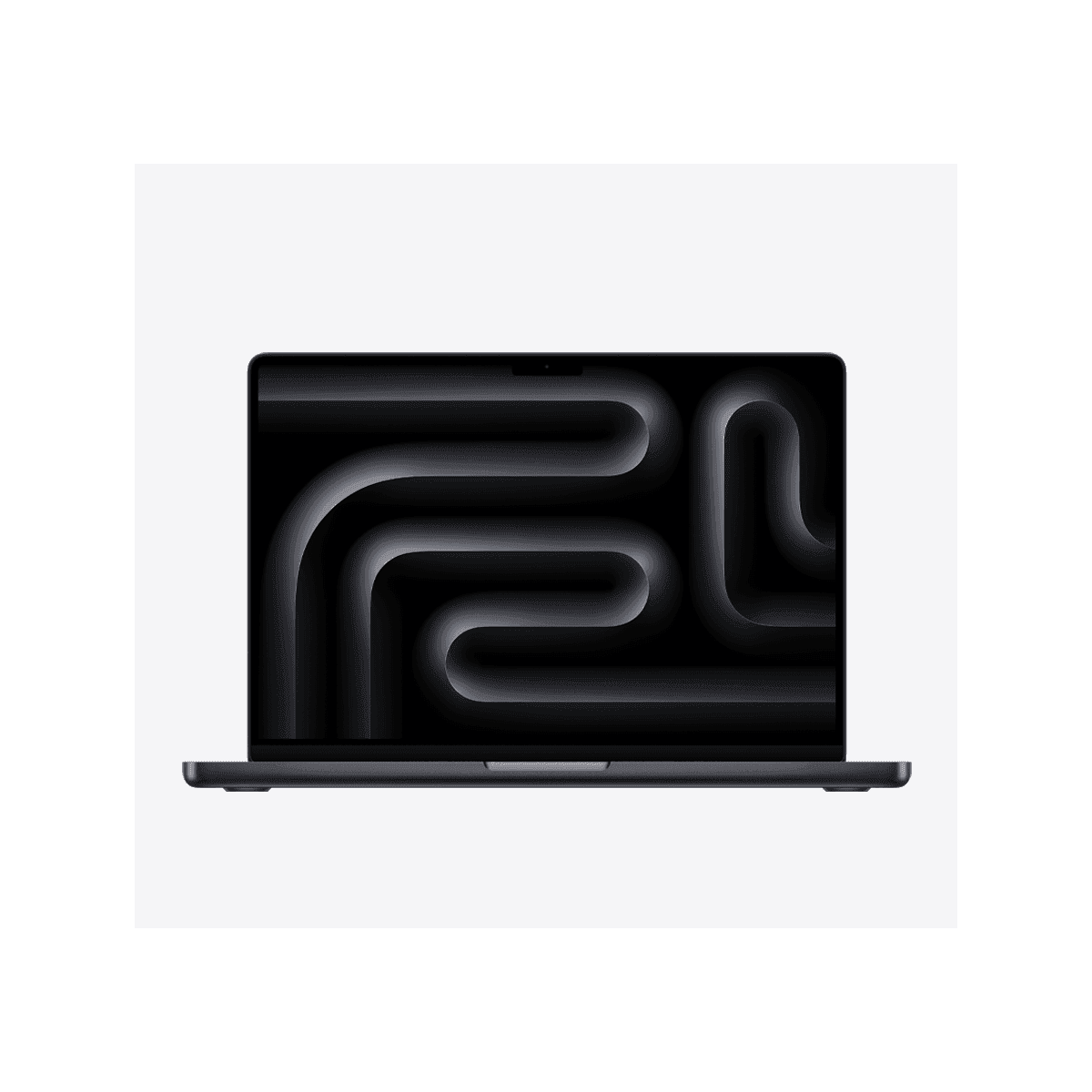
Apple MacBook Pro 14-inch (M5) in Space Black, open front view
MacBook Pro 14" (M5)
Apple
8.0
Overall Score
Professionals who want the XDR display, HDMI and SD card for everyday creative, office and development work without workstation-class compute.
View Full Details
MacBook Pro 14" (M5 Pro)
Apple
8.9
Overall Score
Video editors, engineers and developers who need more CPU/GPU cores, a 48 GB memory ceiling and Thunderbolt 5 for fast external storage.

Performance Overview

Scores based on quantifiable specification values (1-10 scale)

Compute performanceConnectivity & I/ODisplay qualityEfficiency & portabilityMemory headroom
MacBook Pro 14" (M5)
MacBook Pro 14" (M5 Pro)
Compute performance
MacBook Pro 14" (M5)
7.4
MacBook Pro 14" (M5 Pro)
9.0
Connectivity & I/O
MacBook Pro 14" (M5)
8.0
MacBook Pro 14" (M5 Pro)
9.3
Display quality
MacBook Pro 14" (M5)
9.3
MacBook Pro 14" (M5 Pro)
9.3
Efficiency & portability
MacBook Pro 14" (M5)
9.0
MacBook Pro 14" (M5 Pro)
8.6
Memory headroom
MacBook Pro 14" (M5)
6.5
MacBook Pro 14" (M5 Pro)
8.2

Detailed Specifications

Specification
MacBook Pro 14" (M5)
Apple
MacBook Pro 14" (M5 Pro)
Apple
At a Glance
PositioningEntry point to the Pro 14 line — the XDR display with mainstream computeStep-up engine for sustained creative and development workloads
Chip as configuredApple M5 — 10-core CPU, 10-core GPUApple M5 Pro — 15-core CPU/16-core GPU or 18-core CPU/20-core GPU
Launch generationIntroduced 2025Introduced 2026
Weight1.55 kg (3.4 lb)From 1.60 kg (3.5 lb)
Silicon & Memory
CPU cores10-core15-core or 18-core, depending on configuration
GPU cores10-core16-core or 20-core
Unified memory ceilingUp to 32 GBUp to 64 GB (24 GB standard; 48 GB step; 64 GB with the 20-core GPU)
On-device AI hardwareM5-family Neural Accelerators in every GPU coreM5-family Neural Accelerators in every GPU core
External display supportUp to two external displays plus the built-in panelUp to three external displays plus the built-in panel
Quoted battery runtimeUp to 24 hrs video / 16 hrs wireless webUp to 22 hrs video / 14 hrs wireless web (M5 Pro)
Connectivity Differences
Thunderbolt3× Thunderbolt 4 (up to 40 Gb/s)3× Thunderbolt 5 (up to 120 Gb/s)
BluetoothBluetooth 5.3Bluetooth 6
Wi-FiWi-Fi 6E (802.11ax)Wi-Fi 7 (802.11be) via the Apple N1 chip
HDMIHDMI portHDMI port
SD card slotSDXC card slotSDXC card slot
ChargingMagSafe 3 or USB-CMagSafe 3 or USB-C
Where Thunderbolt 5 mattersTB4 already covers typical docks and mainstream displaysExternal NVMe arrays, 8K monitor chains, high-bandwidth capture and RAID enclosures
What's Identical
Display14.2" Liquid Retina XDR (3024 × 1964) mini-LED, nano-texture option14.2" Liquid Retina XDR (3024 × 1964) mini-LED, nano-texture option
Refresh & brightnessProMotion 10-120 Hz; 1,000-nit sustained / 1,600-nit peak HDRProMotion 10-120 Hz; 1,000-nit sustained / 1,600-nit peak HDR
Camera12 MP Center Stage with Desk View12 MP Center Stage with Desk View
Battery capacity72.4 Wh72.4 Wh
AudioSix-speaker Spatial Audio, studio-quality three-mic arraySix-speaker Spatial Audio, studio-quality three-mic array
Dimensions312.6 × 221.2 × 15.5 mm312.6 × 221.2 × 15.5 mm
Keyboard & securityBacklit Magic Keyboard with Touch IDBacklit Magic Keyboard with Touch ID
Colours & OSSpace Black or Silver; macOS Tahoe with Apple IntelligenceSpace Black or Silver; macOS Tahoe with Apple Intelligence
Choosing Between Them
Ideal buyerWants the Pro display and I/O without workstation computeCreative and development professionals — the sweet spot of the line
4K video editingNot the tier we would spec for sustained 4K workOur recommended tier for 4K timelines in Final Cut, Resolve or Premiere
Memory-hungry builds and VMsHard ceiling of 32 GB unified memoryConfigurable to 64 GB unified memory
High-bandwidth peripheralsThunderbolt 4 — fine for docks and dual displaysThunderbolt 5 for fast external NVMe storage and 8K display chains

Expert Analysis

Specs web-verified from manufacturer datasheets · Servnet-reviewed · Last reviewed 11 Jul 2026

This is a rare comparison where almost everything a user touches is the same machine. The panel, camera, speakers, keyboard, HDMI port, SD slot and 72.4 Wh battery do not change between tiers — you are choosing an engine, not a laptop. That reframes the decision usefully: if the reason your team wants a Pro over an Air is the mini-LED XDR display and the direct I/O, the base M5 delivers all of it, carries Apple's best quoted runtime figures for the line, and keeps compute that is more than adequate for office work, photography and lighter development.

The M5 Pro buys three concrete things. First, cores: 15 or 18 CPU cores against 10, and up to 20 GPU cores against 10, which is what sustained 4K editing, large compiles and container-heavy development actually consume. Second, headroom: a 64 GB unified memory ceiling against 32 GB, the difference between a comfortable three-year service life and an early constraint for engineers and editors. Third, interconnect: Thunderbolt 5 and Bluetooth 6 against Thunderbolt 4 and 5.3 — irrelevant to most desks, decisive if anyone runs external NVMe arrays or very high-bandwidth display chains.

For UK business buyers our steer is to standardise the wider fleet on the base M5 where the display is the draw, and to specify the M5 Pro by name for identified power users — editors, build engineers, ML-adjacent developers. Because the chassis is identical, a mixed fleet stays simple to image, dock and support; just record which desks are Thunderbolt 5 when procuring peripherals.

MacBook Pro 14" (M5)
Professionals who want the XDR display, HDMI and SD card for everyday creative, office and development work without workstation-class compute.
MacBook Pro 14" (M5 Pro)
Video editors, engineers and developers who need more CPU/GPU cores, a 48 GB memory ceiling and Thunderbolt 5 for fast external storage.

Frequently asked questions

Is the display different between the M5 and M5 Pro models?

No — that is the point of this comparison. Both configurations use the identical 14.2-inch Liquid Retina XDR mini-LED panel: 3024 x 1964 resolution, ProMotion 10-120 Hz adaptive refresh, 1,000 nits sustained and 1,600 nits peak HDR brightness, with a nano-texture option available across the family. If the display is your reason for choosing a MacBook Pro over an Air, the base M5 delivers exactly the same screen as the Pro chip.

What do I actually give up by choosing the base M5?

Compute and interconnect, not the machine around them. The base M5 is a 10-core CPU with a 10-core GPU and a 32 GB unified memory ceiling; the M5 Pro offers 15- or 18-core CPUs, 16- or 20-core GPUs and up to 64 GB. Ports drop from Thunderbolt 5 to Thunderbolt 4, Bluetooth from 6 to 5.3, and external display support from two screens plus the internal panel to two screens. Chassis, display, camera and the 72.4 Wh battery are unchanged.

Is Thunderbolt 4 enough for a docked office setup?

For most docked office setups, yes. Thunderbolt 4's 40 Gbps comfortably handles a dock, dual displays and mainstream storage. Thunderbolt 5 — 80 Gbps bidirectional, 120 Gbps asymmetric — earns its keep with external NVMe arrays, 8K monitor chains and high-bandwidth capture and RAID enclosures. If nobody on the team runs that kind of peripheral, the base M5's ports will not be the bottleneck in day-to-day use.

Which tier should a UK business standardise on?

Standardise on the base M5 for users whose case is the XDR display, HDMI and SD slot — general professionals, photographers and lighter development roles. Specify the M5 Pro by name for video editors, engineers on large builds and anyone who needs 64 GB of memory or Thunderbolt 5 storage. Because both tiers share one chassis, a mixed fleet keeps accessories, imaging and AppleCare+ for Business support simple.

Specs verified from

Ready to proceed?

Not sure which one fits your environment?

Our UK specialists will recommend the right option for your workload and send itemised pricing — vendor-neutral, no obligation.

Response within 4 business hours · 20+ yr UK reseller

MacBook Pro 14" (M5)
View Full Details →
MacBook Pro 14" (M5 Pro)

Want to compare different products or add more to this comparison?

Open Interactive Comparison Tool →
💷 Spread the cost · IT finance

Made your choice? Spread the cost.

Whichever you choose, you don't have to pay for it all upfront — finance your new hardware from £79/mo ex VAT on hire purchase or lease. Compare monthly payments and terms in seconds.

See finance from £79/mo

Indicative estimate · subject to change · soft search, no credit-file impact · hire purchase, lease & subscription for UK businesses

From
£79/mo
over 36 months · ex VAT · indicative estimate, subject to change

Talk to a UK specialist

Get expert advice or a no-obligation quote — servers, storage, networking, maintenance, finance and cloud. We reply the same working day.

or call 0800 987 4111