UK’s trusted IT infrastructure partner since 2003
Servnet
FinanceToolsConfiguratorGet in Touch
← Comparison Tool

💻 MacBook Pro 14 vs Dell 14

AI-powered analysis across 35 matched specifications

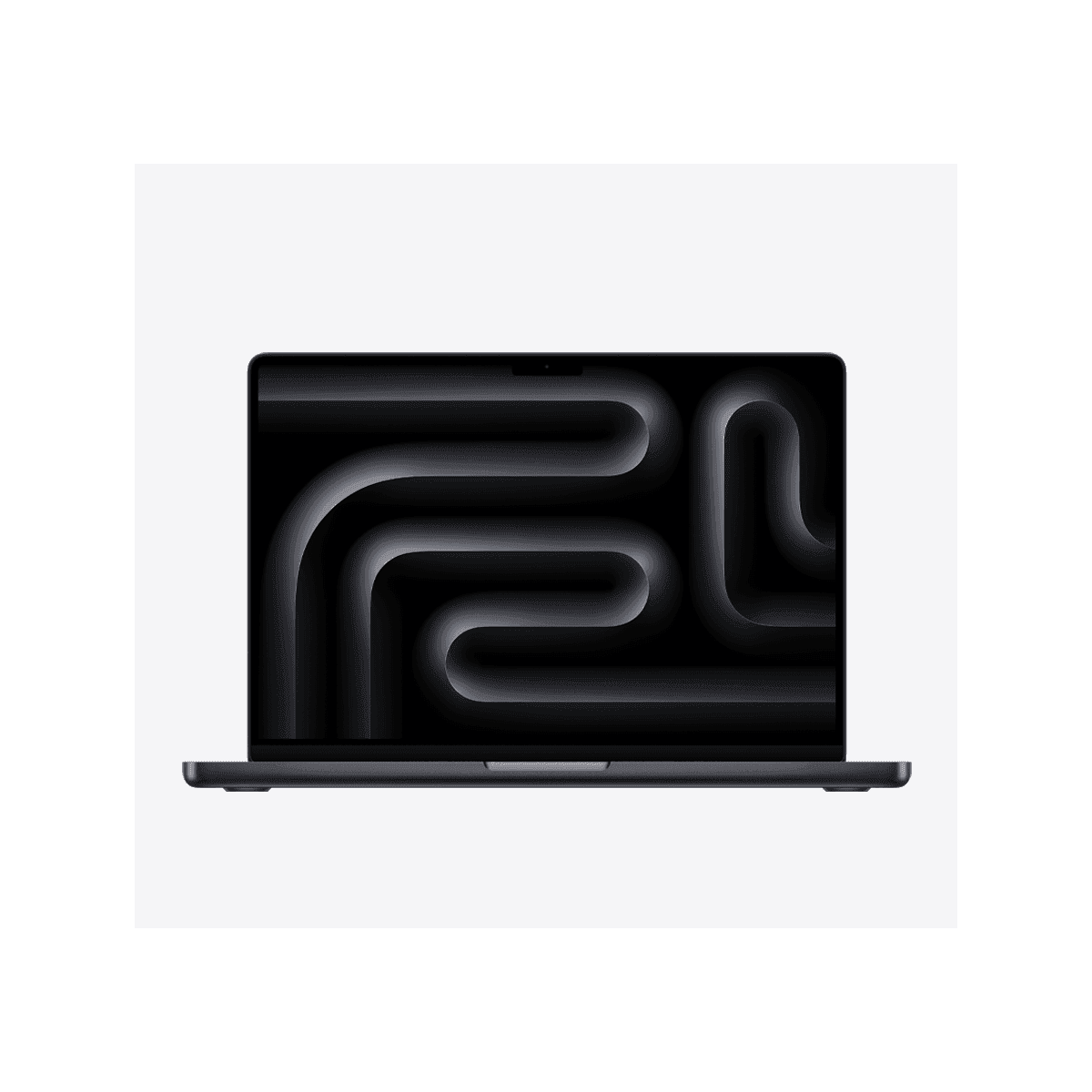
Apple MacBook Pro 14-inch (M5) in Space Black, open front view
MacBook Pro 14" (M5)
Apple
8.7
Overall Score
Creative professionals, developers and ML practitioners on macOS who need reference-grade XDR colour, workstation-class silicon and up to 128 GB unified memory in a 1.55 kg body.
View Full Details
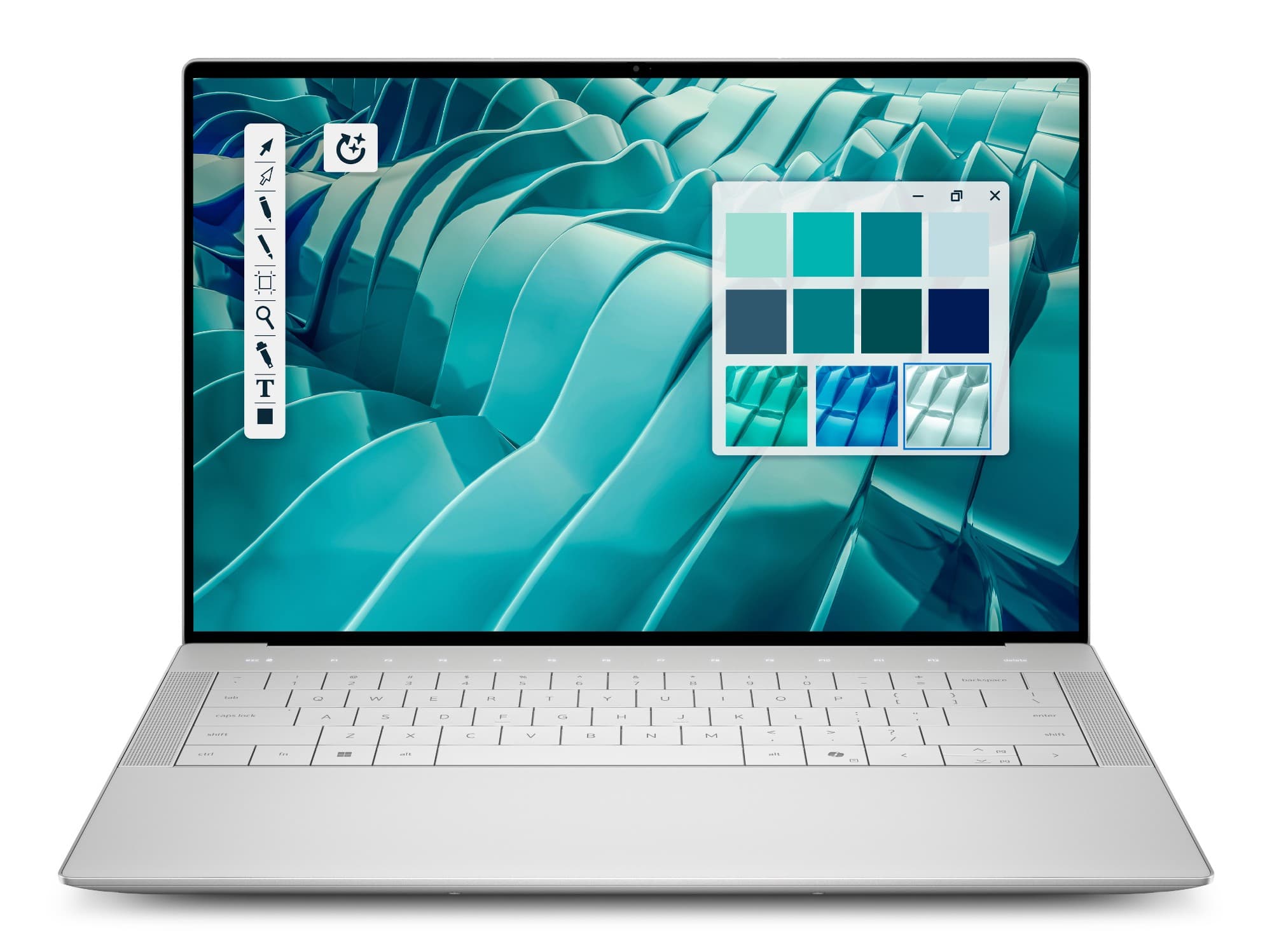
Dell 14 Premium (DA14250) in Platinum — front view with 14.5-inch 2K InfinityEdge display and edge-to-edge zero-lattice keyboard
Dell 14 Premium
Dell
8.0
Overall Score
Windows-committed executives, founders and creators who want a premium 14.5-inch machine with discrete NVIDIA RTX 4050 CUDA graphics and a user-replaceable SSD.
View Full Details

Performance Overview

Scores based on quantifiable specification values (1-10 scale)

Display qualityPerformance ceilingPortability & batteryConnectivity & portsServiceability & upgradesBuild & design
MacBook Pro 14" (M5)
Dell 14 Premium
Display quality
MacBook Pro 14" (M5)
9.5
Dell 14 Premium
7.5
Performance ceiling
MacBook Pro 14" (M5)
9.0
Dell 14 Premium
7.5
Portability & battery
MacBook Pro 14" (M5)
9.0
Dell 14 Premium
7.5
Connectivity & ports
MacBook Pro 14" (M5)
8.5
Dell 14 Premium
7.5
Serviceability & upgrades
MacBook Pro 14" (M5)
5.5
Dell 14 Premium
7.5
Build & design
MacBook Pro 14" (M5)
9.0
Dell 14 Premium
8.5

Detailed Specifications

Specification
MacBook Pro 14" (M5)
Apple
Dell 14 Premium
Dell
At a Glance
PositioningPro workstation-class 14-inch (base M5 up to M5 Max silicon)Consumer-premium flagship — the XPS 14 successor
Operating systemmacOS Tahoe (Apple Intelligence)Windows 11 Home or Pro
Graphics modelIntegrated Apple GPU (up to 40-core, M5 Max)Discrete NVIDIA RTX 4050 6 GB + Intel Arc 140T
SiliconApple M5 / M5 Pro / M5 MaxIntel Core Ultra 7 255H (265H option)
Display
Panel type14.2" Liquid Retina XDR mini-LED14.5" 2K IPS InfinityEdge (3.2K OLED to order)
Resolution3024 × 19641920 × 1200 (3200 × 2000 on OLED)
Peak brightness1000-nit sustained / 1600-nit peak HDR500 nits (2K IPS)
Refresh rateProMotion 10–120 Hz adaptive30–120 Hz VRR
Colour gamutP3 wide colour100% sRGB (100% DCI-P3 on OLED)
TouchNoNo on 2K IPS; yes on 3.2K OLED
FinishGlossy; nano-texture optionAnti-glare
Performance & Silicon
ProcessorApple M5 (10-core) up to M5 Max (18-core CPU)Intel Core Ultra 7 255H — 16-core, up to 5.1 GHz
GPUIntegrated, up to 40-core (M5 Max)NVIDIA RTX 4050 6 GB GDDR6, 30 W TGP
MemoryUp to 128 GB unified (soldered)32 GB LPDDR5x-8400 soldered (64 GB platform max)
Memory architectureUnified — shared across CPU and GPUSystem LPDDR5x + dedicated 6 GB VRAM
StorageUp to 8 TB SSD (soldered)1 TB Gen4 NVMe (up to 4 TB SED-ready to order)
On-device AIApple Neural Engine (per-core accelerators)Intel AI Boost NPU — up to 13 TOPS
Design, Build & Battery
WeightFrom 1.55 kg (up to 1.62 kg M5 Max)1.63–1.78 kg (2K panel configs)
Dimensions312.6 × 221.2 × 15.5 mm320 × 216 mm; 6.7 mm front / 18.0 mm rear
ChassisAluminium unibodyCNC aluminium + Gorilla Glass 3 palm rest
Battery72.4 Wh — up to 24 h video / 18 h web (M5)70 Wh — ExpressCharge 0–80% in 1 h
In-box chargingMagSafe 3 + USB-C; no adapter in UK box100 W USB-C adapter included; Boost 0–35% in 20 min
ColoursSpace Black, SilverPlatinum, Graphite
Connectivity & I/O
Thunderbolt / USB-C3× TB4 (M5) or TB5 (M5 Pro/Max)3× Thunderbolt 4 — USB4 40 Gbps, DP 2.1
HDMIHDMI 2.1None
USB-ANoneNone
Card readerSDXC (UHS-II)microSDXC (UHS-II)
External displaysUp to 4 × 6K (M5 Max); 2 on base M5Up to 3 (two 4K or one 8K)
WirelessWi-Fi 7 + Bluetooth 5.3 (M5) / 6 (Pro·Max)Wi-Fi 7 (Killer BE201) + Bluetooth 5.4
Security, Camera & Ownership
Biometric sign-inTouch ID fingerprintFingerprint (power button) + Windows Hello IR face
Camera12 MP Center Stage (1080p) + Desk ViewFHD 1080p + IR (2.07 MP), presence detection
Hardware security--TPM 2.0 (FIPS 140-2 / TCG), Dell SafeBIOS
Speakers / audioSix-speaker Spatial Audio, 3-mic arrayQuad speakers — Dolby Atmos, Waves MaxxAudio Pro
SSD serviceabilitySoldered — specify at purchaseUser-replaceable M.2 slot
Warranty1-yr limited; AppleCare+ for Business to 3 yr1-yr Dell Care Plus standard

Expert Analysis

Specs web-verified from manufacturer datasheets · Servnet-reviewed · Last reviewed 11 Jul 2026

This is a cross-platform, cross-class decision rather than a like-for-like duel. The MacBook Pro 14 M5 is a professional workstation-class laptop; the Dell 14 Premium is the consumer-premium flagship that succeeded the XPS 14. Both are beautifully built 14-inch aluminium machines around 1.6 kg, but they answer different questions — the operating system you are committed to, and whether you need Apple silicon's unified memory or Windows with an NVIDIA discrete GPU.

Choose the MacBook Pro 14 M5 if colour-critical work or compute ceiling drives the purchase. Its Liquid Retina XDR mini-LED panel — 1000-nit sustained, 1600-nit peak HDR, P3 — is in a different league to the Dell's 500-nit 2K IPS, and the silicon scales from base M5 to an M5 Max with up to 128 GB of unified memory and 8 TB of storage, well beyond anything the Dell reaches. Video editors, photographers, developers and ML practitioners on macOS get more headroom, up to 24 hours of battery, and HDMI plus SD built in.

Choose the Dell 14 Premium if you are committed to Windows or need NVIDIA. Its RTX 4050 (6 GB GDDR6, CUDA) runs Windows-native DirectX, CUDA and enterprise software the Mac cannot, and the machine keeps a user-replaceable M.2 SSD, ships with a 100 W charger in the box, and adds Windows Hello IR face sign-in. It is the natural pick for executives, founders and creatives inside a Microsoft estate — provided you accept a 500-nit 2K panel (the 3.2K OLED is a configure-to-order upgrade) and a 32 GB soldered memory ceiling.

MacBook Pro 14" (M5)
Creative professionals, developers and ML practitioners on macOS who need reference-grade XDR colour, workstation-class silicon and up to 128 GB unified memory in a 1.55 kg body.
Dell 14 Premium
Windows-committed executives, founders and creators who want a premium 14.5-inch machine with discrete NVIDIA RTX 4050 CUDA graphics and a user-replaceable SSD.

Frequently asked questions

Which has the better screen for creative work?

The MacBook Pro 14 M5, clearly. Its 14.2-inch Liquid Retina XDR mini-LED panel delivers 1000-nit sustained brightness, 1600-nit HDR peaks and P3 wide colour with reference modes — genuinely colour-critical. The Dell's stocked 14.5-inch 2K IPS is a bright, accurate 500-nit, 100% sRGB panel but not HDR-grade; Dell offers a 3.2K DCI-P3 OLED touch panel to order if you need wider gamut on the Windows side.

Does the Dell's RTX 4050 make it faster than the MacBook?

It depends on the software. The RTX 4050 gives the Dell CUDA and DirectX acceleration for Windows applications the Mac cannot run at all, which matters for some 3D, CAD and Windows-native GPU work. But for raw ceiling, an M5 Max with up to 128 GB of unified memory and a 40-core GPU outpaces a 6 GB, 30 W RTX 4050 on memory-bound editing, rendering and ML tasks. Match the tool to your applications.

Can I upgrade the memory or storage later?

Only partly, and only on the Dell. Both machines solder their memory — 32 GB on the stocked Dell (64 GB platform maximum, chosen at purchase) and up to 128 GB on the MacBook, also fixed. Storage differs: the Dell uses a single user-replaceable M.2 2230/2280 NVMe slot, so the SSD can be swapped or enlarged, whereas the MacBook's SSD is soldered and must be specified up front.

Which is better for a Windows-based business?

The Dell 14 Premium, without question. It runs Windows 11 Pro, fits straight into Active Directory and existing Windows software, and adds Dell SafeBIOS, TPM 2.0 (FIPS 140-2) and Windows Hello IR face sign-in. The MacBook Pro suits macOS-first or mixed fleets, but committing a Windows-standardised business to macOS means re-tooling software, imaging and support — rarely worth it unless the XDR display or Apple silicon is essential.

Specs verified from

Ready to proceed?

Not sure which one fits your environment?

Our UK specialists will recommend the right option for your workload and send itemised pricing — vendor-neutral, no obligation.

Response within 4 business hours · 20+ yr UK reseller

MacBook Pro 14" (M5)
View Full Details →
Dell 14 Premium
View Full Details →

Want to compare different products or add more to this comparison?

Open Interactive Comparison Tool →
💷 Spread the cost · IT finance

Made your choice? Spread the cost.

Whichever you choose, you don't have to pay for it all upfront — finance your new hardware from £79/mo ex VAT on hire purchase or lease. Compare monthly payments and terms in seconds.

See finance from £79/mo

Indicative estimate · subject to change · soft search, no credit-file impact · hire purchase, lease & subscription for UK businesses

From
£79/mo
over 36 months · ex VAT · indicative estimate, subject to change

Talk to a UK specialist

Get expert advice or a no-obligation quote — servers, storage, networking, maintenance, finance and cloud. We reply the same working day.

or call 0800 987 4111