
A single 42U rack cabinet can hold 35-40 individual 1U servers in roughly 0.6 square metres of floor space — a density that explains why choosing between tower, rack, blade and multi-node form factors is rarely about which server is 'better', and almost always about which one fits the space, power and growth plan you actually have. A tower suits a locked server cupboard in a Surrey office with no rack in sight; a rack server becomes the default once you're running more than two or three machines; blade chassis only justify their shared-infrastructure overhead at eight or more dense nodes; and multi-node systems push that density further still inside a colocation cabinet. This explainer maps each form factor to its real UK scenario, with the exact dimensions, drive counts and power figures behind the decision.
View the data behind this chart
| Height | Drive Bays | Expansion | |
|---|---|---|---|
| 1U rack server | 1.75in / 44.45mm | 2-4 drives | Limited PCIe slots |
| 2U rack server | Double 1U height | 4-8 drives | Larger heatsinks |
| 4U+ rack server | Quad 1U or more | Complex storage | Multi-GPU, full PCIe |
Understanding server form factors: the foundation of your infrastructure
A server's form factor is simply its physical design: the dimensions, mounting style, internal layout, cooling pathways and cabling arrangement that determine where and how it can be installed, according to ServerMall's guidance on choosing between blade, tower and rack systems. That sounds like a hardware footnote, but in practice it's one of the first decisions a UK business makes when planning any new deployment, because it dictates whether you need a rack, a comms room, a colocation contract, or just a spare corner of an office.
For a small professional-services firm in Surrey running a handful of applications from a server cupboard, the form factor question is really a space-and-noise question. For an IT team filling a comms room or a colocation cabinet, it's a density-and-power question. And for an organisation running dozens of nodes in a data centre, it becomes a question of shared infrastructure economics. This article works through rack, tower, blade and multi-node systems using exactly that lens: not abstract shapes, but the UK scenario each one actually fits.
The "U" explained: rack units and standard dimensions
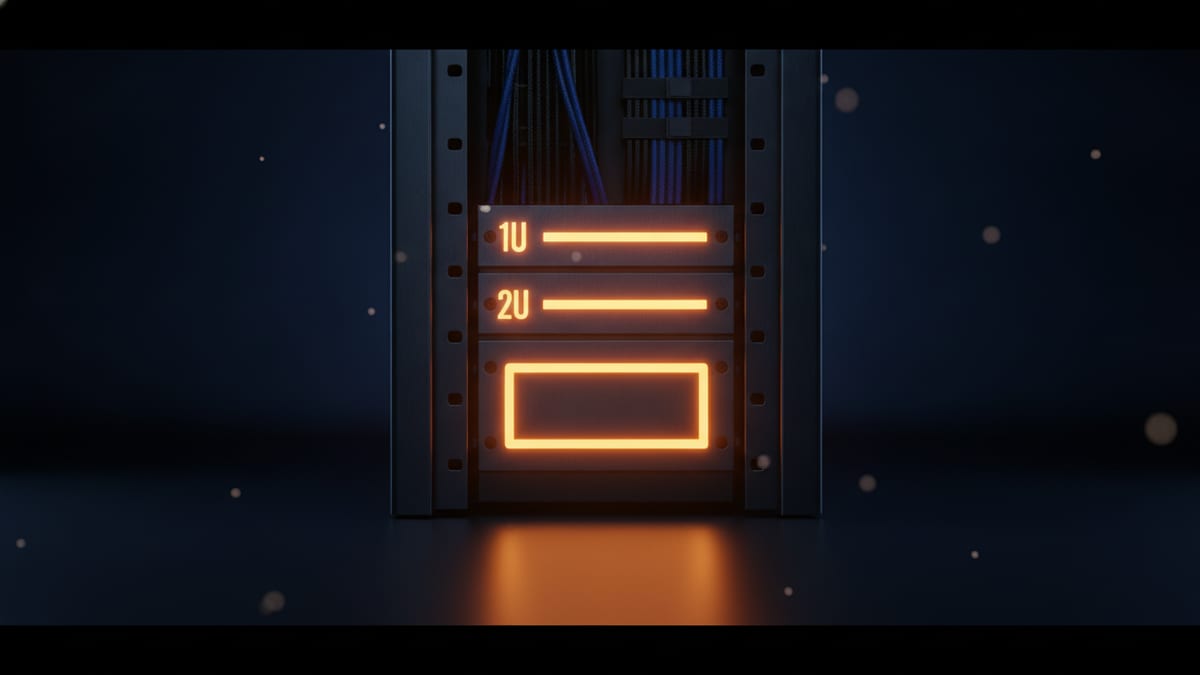
Every rack-mounted server is measured in rack units, abbreviated U. One rack unit is a fixed industry measurement of 1.75 inches, or 44.45mm, and it's this constant that lets a 1U server from one manufacturer sit in a 19-inch rack alongside a switch or PDU from another, according to ServerWatch's comparison of blade and rack servers. Rack servers are specifically designed to fit these standard 19-inch rack enclosures, with height expressed in multiples of that base unit — 1U, 2U, 4U and upward.
The practical effect is that '2U' and '4U' aren't arbitrary size names; they describe how many of those fixed 44.45mm slots a chassis occupies in a cabinet, which in turn dictates how many servers you can physically stack in a given rack. This matters more than it sounds: cabinet space in a UK colocation facility or comms room is usually billed or budgeted by the rack unit, so the height a server occupies is a direct line to its running cost, not just its physical bulk. If you're specifying hardware for the first time, it's worth taking the time to understand rack unit sizes before comparing quotes, because two servers priced similarly can occupy very different amounts of billed rack space.
Rack servers: 1U vs 2U vs 4U for modern workloads
Once you're in rack territory, the real decision is which U height fits the workload. A 2026 UK infrastructure guide from Solent Packing sets out the practical differences plainly: 1U servers typically support 2-4 storage drives, while 2U servers typically support 4-8 drives along with room for larger heatsinks. Step up to 4U and larger chassis, and you gain space for full-height PCIe cards, multiple GPUs, and more complex storage configurations that simply won't physically fit in a 1U or 2U enclosure.
Power tells a similar story. Typical 1U single-socket general-compute rack servers draw in the region of 250-650W, according to 2026 decision guidance from KDS Electrical — a range that matters directly for UK comms-room power provisioning, because a rack stacked with dense 1U nodes can draw meaningfully more current per cabinet than the same rack populated with fewer, larger 2U or 4U systems.
This is also why GPU-heavy, AI and rendering workloads tend to land on 2U or 4U rack servers rather than 1U: those workloads need the physical volume, power headroom and airflow that only the taller chassis provide. In practical terms, 1U buys you density — more servers per cabinet, more per pound of rack rental — but at the cost of tighter cooling margins, smaller drive counts, and less room to add a GPU or extra card later. 2U and 4U trade some of that density for expandability and serviceability, which is usually the right call for anything beyond straightforward web or file serving.
Tower servers: the Surrey office cupboard scenario
Tower servers are freestanding systems built for standalone deployment rather than rack mounting, according to Serverforbeginner's comparison of tower, rackmount and blade designs. That single distinction explains almost everything about where they belong: a tower doesn't need a 19-inch rack, comms room, or colocation contract, which makes it the natural fit for a small office or home/small-network setup where that infrastructure simply doesn't exist, as EverPureData notes in its comparison of blade, rack and tower servers.
Picture a ten-person professional-services office in Surrey with a locked server cupboard instead of a comms room: a tower server slots in there without needing rack rails, additional cooling infrastructure, or specialist mounting. It's the same logic for a small branch office closet — one or two towers running file, print and line-of-business applications, with no rack to justify.
That said, the tower's ceiling is reasonably low. Guidance from ProDisk Network puts the tipping point at more than two or three servers, or any expectation of growth beyond that: once you cross that threshold, rack infrastructure becomes the cleaner long-term choice, both for cabling and for future capacity. Buyers weighing up HPE ProLiant tower servers for exactly this kind of office deployment should treat that threshold as the point to start planning a rack instead.
Blade and multi-node: dense chassis models for colo estates
Blade systems flip the tower model on its head. Instead of each server carrying its own power supply and cooling, a blade chassis uses a shared backplane, concentrating power and cooling infrastructure in the enclosure itself rather than duplicating it in every module, as SkywardTel explains in its analysis of blade server use cases. That shared-infrastructure model is precisely why blades are positioned for high-density environments where space, energy draw and administrative overhead all matter simultaneously, rather than any one in isolation.
The catch is that blade chassis only pay for themselves at scale. Guidance from ProDisk Network puts the sensible threshold at 8+ dense nodes — below that, you're paying for shared chassis infrastructure that a handful of standard rack servers wouldn't need. This is a genuinely different economic model to a 1U or 2U rack server: you're not buying a self-contained machine, you're buying a share of a chassis.
Multi-node systems — often built as 2U4N configurations, several independent server nodes sharing one enclosure — push that same density logic further, and are aimed squarely at colocation deployments where every contracted rack unit needs to carry as much compute as possible. As with blades, the trade-off is that spend shifts from the individual server to the chassis, shared power distribution and thermal design. For UK teams weighing this route, it's worth taking time to learn about multi-node servers before committing to a colo contract built around that density.
View the data behind this chart
| Layer | Detail |
|---|---|
| Floor footprint | About 0.6 square metres of comms-room space |
| 1U server capacity | 35-40 individual 1U servers per cabinet |
| Drive bays per 1U | 2-4 drives per server, 4-8 for 2U builds |
Form factor for function: matching servers to the workload
The workload should drive the form factor decision, not the other way round. GPU-heavy AI, machine-learning and rendering workloads consistently land on 2U or 4U rack servers because those chassis provide the volume, power delivery and airflow that dense GPU cards demand. Virtualisation and VDI estates follow a similar pattern: once you're consolidating enough virtual machines onto shared hosts, the extra drive bays and cooling headroom of a 2U chassis generally outweigh the density advantage of 1U.
Storage-heavy workloads push the same direction for a simple physical reason: a 1U chassis supporting 2-4 drives runs out of bays faster than a 2U chassis supporting 4-8, so anything approaching a storage-server role tends to gravitate toward 2U as a minimum. At the other end of the scale, straightforward web hosting or lightweight application serving — where drive count and GPU headroom aren't factors — is where 1U's density genuinely pays off, letting you pack far more compute into the same billed rack space.
Tower sits outside this workload logic entirely: it's chosen for location — no rack available — rather than for the workload itself, which is why it suits small-office general-purpose computing regardless of what's actually running on it.
Space, power and cost: the UK perspective
Rack space in a UK comms room or colocation facility is finite, and the numbers make that concrete. A 2026 infrastructure guide from Solent Packing notes that a standard 42U floor-standing cabinet can house 35-40 individual 1U servers while occupying only about 0.6 square metres of floor space — a striking density if you're paying for that footprint in an equipment room. That same density doesn't apply once you move to 2U, 4U, blade or multi-node systems, where far fewer chassis fill the same 42U, but each one typically carries more drives, more expansion, or a share of a chassis.
This is where the real commercial trade-off in the UK market sits: it isn't really tower versus rack versus blade as competing 'better' options, it's a spending decision about where you put the money. A tower server is genuinely self-contained — no chassis, no shared cooling infrastructure, no rack rental. Rack, blade and multi-node deployments shift some of that spend away from the individual server and into chassis, power distribution and cooling design, in exchange for density and standardisation. Buyers should weigh noise, heat output, mains and power provisioning, and physical access as seriously as CPU specification, because in a UK office or comms room those factors often decide whether a form factor is even installable before cost comes into it. Ready to size a deployment properly? You can configure your next server once you know which form factor fits your space.
Making the right choice: a decision framework
Boiled down, the decision tree is straightforward once you know your growth trajectory and your infrastructure. If you have no rack, no comms room, and expect to run no more than two or three servers, a tower is the pragmatic choice — it's the natural fit for a Surrey office cupboard or a small branch closet, with no chassis or rack rental to fund. Cross that two-or-three-server threshold, or you already have rack infrastructure, and a standard rack server becomes the cleaner default, with 1U for density-focused, drive-light workloads and 2U or 4U wherever storage, GPUs or full-height cards are involved.
Blade only becomes worth evaluating once you're realistically looking at 8 or more dense nodes, because that's the point where shared chassis power and cooling start paying for themselves rather than adding overhead. Multi-node systems belong at the far end of that same curve: colocation deployments where every contracted rack unit needs to carry maximum compute, and where the buyer has already accepted that spend moves from the server itself into shared chassis and thermal design.
None of this needs to be guesswork. Match your server count, growth expectation, and workload type against these thresholds first, and the form factor choice — tower, rack, blade or multi-node — tends to resolve itself.
Sources
Every figure in this article traces to the sources below.
- •ServerMall — definition of server form factor and blade/tower/rack decision guidance
- •ServerWatch — 1U rack height (1.75in/44.45mm) and 19-inch rack standard
- •Serverforbeginner — tower servers as freestanding, non-rack-mounted systems
- •EverPureData — tower servers positioned for small office/home/small-network use
- •ProDisk Network — rack-server growth threshold and blade 8+ node guidance
- •SkywardTel — blade chassis shared backplane and high-density use cases
- •Solent Packing — 2026 UK guide on 42U cabinet density, drive bays and PCIe/GPU capacity
- •KDS Electrical — 2026 typical 1U single-socket rack-server power range
- •ServerMall (RU) — 2026 guidance on GPU/AI/rendering workload fit for 2U/4U rack systems